Table of Contents
How AI Text-to-Video Tools Are Changing Content Creation in 2027
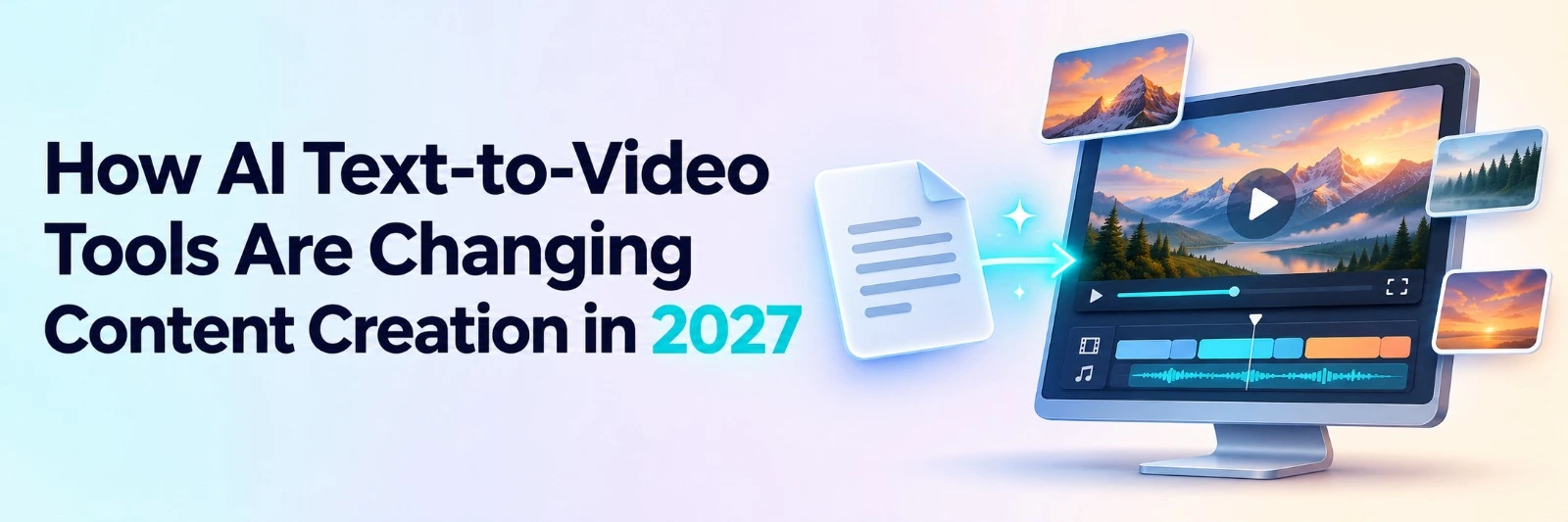
AI text-to-video technology is changing how businesses, marketers, and creators turn written ideas into visual content. Instead of recording every scene or manually building a video from scratch, creators can now describe what they want and let AI generate the first version.
This shift is making video production more accessible. A small business can create promotional videos from product descriptions, while an educator can turn written lessons into visual explanations. Content creators can also produce videos for YouTube and social media without relying on expensive production equipment.
However, AI-generated videos still need good storytelling, accurate information, and careful editing. Technology can speed up production, but human creativity remains important.
As we move into 2027, AI text to video tools are becoming part of everyday content workflows. Understanding how they work can help businesses and creators produce better content with less manual effort.
What Is AI Text-to-Video Technology?
AI text-to-video technology converts written instructions, scripts, or descriptions into video content. It uses artificial intelligence to understand text and generate related visuals, animations, scenes, and other video elements.
A text to video generator analyzes the information provided by the user and produces scenes that match the description.
For example, a marketing team could enter a prompt describing a new fitness product, its main features, and the intended audience. The AI could then generate a promotional video with product visuals, supporting scenes, and narration.
Different platforms offer different capabilities. Some create short cinematic clips, while others can turn complete scripts into videos with multiple scenes, voiceovers, music, and subtitles.
Common applications include:
- Creating marketing and advertising videos.
- Turning blog posts into visual content.
- Producing educational and training videos.
- Making social media videos from written ideas.
- Developing product demonstrations.
- Creating supporting footage for longer projects.
These tools reduce the technical work involved in video production, making content creation possible for people with limited editing experience.
How Does AI Text-to-Video Generation Work?
An AI video generator from text uses trained models to understand written instructions and create visual content.
The process generally involves four stages.
1. Understanding the Written Prompt
The AI first analyzes the user's text to identify important details such as the subject, setting, style, movement, and intended message.
A detailed prompt provides clearer direction than a short description.
2. Generating Visual Scenes
Based on the prompt, the system creates images or video clips. Some tools can also select relevant supporting footage.
The generated scenes are designed to match the instructions provided.
3. Adding Audio and Supporting Elements
Depending on the platform, AI can generate narration, background music, captions, and other elements.
These features are particularly useful for explainer videos and educational content.
4. Editing and Exporting
After the initial generation, creators review the result and make adjustments.
Modern editing platforms can also help organize clips, change pacing, and prepare the video for publishing.
For projects involving existing footage, Invideo Editor offers AI editing agents that can review clips, select usable material, and assemble an editable base cut. This allows creators to refine the results instead of starting the editing process from scratch.
7 Ways AI Text-to-Video Tools Are Changing Content Creation
Text-to-video technology is influencing several parts of content production. Its value extends beyond generating visuals because it can also improve how teams plan, edit, and distribute videos.
1. Making Video Production Faster
Traditional video production involves multiple steps, including scriptwriting, filming, organizing footage, editing, and reviewing the final output.
AI can simplify several of these tasks.
A creator can enter a written idea into a text-to-video AI tool and generate an initial video without recording every scene manually.
This is particularly helpful for teams producing regular content for social media, websites, and advertising campaigns.
However, the time saved depends on the complexity of the project. Detailed videos may still require several rounds of generation and editing.
2. Reducing Content Production Costs
Professional video production can involve equipment, locations, actors, and editors.
AI tools can reduce the need for some of these resources by generating scenes from written instructions.
For small businesses, this creates opportunities to experiment with video marketing without making a large initial investment.
An online store, for instance, could create short promotional videos from product information and visual references.
AI-generated scenes will not replace every type of production, especially when accurate demonstrations or real customer footage are required. Still, they can make many everyday content tasks more affordable.
3. Turning Written Content Into Videos
Businesses often publish blogs, guides, product descriptions, and educational resources.
AI makes it easier to adapt this written material into video formats.
A company could convert a detailed blog post into a short explainer video. An educator could turn lesson notes into a visual presentation.
Instead of copying the entire article into a video, creators should identify the most important points and organize them into a clear script.
This approach helps make the finished video easier to understand.
4. Combining AI Generation With Professional Editing
Generating video scenes is only one part of content production. Creators also need to arrange footage, improve transitions, adjust audio, and maintain a consistent visual style.
This is where editing tools become important.
Invideo Editor combines a professional timeline with AI editing agents, allowing creators to organize footage and refine video sequences using natural-language instructions.
For teams working with written scripts, invideo tool text to video AI can generate scenes, visuals, voiceovers, and music from text prompts. The generated content can then be reviewed and refined before publishing.
This approach helps creators move from written ideas to visual content while maintaining control over the final result.
It is particularly useful for businesses that need both automated video generation and detailed editing options.
5. Making Video Creation Accessible to Beginners
Traditional editing software can take time to learn, especially when working with multiple tracks, effects, and audio settings.
AI simplifies the starting process by allowing users to describe what they want in everyday language.
For example, a beginner could enter:
"Create a 45-second product explainer video with clean visuals, friendly narration, and a simple background."
The AI can produce an initial version based on those instructions.
Creators can then review the video and request changes.
This makes video creation more approachable for students, small business owners, marketers, and people without professional editing experience.
6. Helping Marketing Teams Create More Content
Digital marketing often requires different video formats for websites, advertisements, email campaigns, and social media.
Creating each version manually can take considerable time.
AI tools can help teams prepare initial videos, test visual concepts, and develop variations for different audiences.
A marketing team could generate several promotional scenes from one campaign brief and then combine them with existing product footage.
Invideo Editor can also help teams prepare shorter versions of an existing project by adjusting sequences, pacing, and video formats.
This allows marketers to reuse their creative work while adapting content for different platforms.
7. Improving Collaboration Between Creators and AI
AI is also changing how creative teams divide their work.
Instead of manually completing every editing task, creators can assign repetitive work to AI while focusing on storytelling and visual decisions.
For example, an editor may ask an AI agent to review footage, organize takes, and build an initial sequence.
The editor can then review that sequence and adjust the parts that need improvement.
This approach keeps creative decisions with the team while reducing the time spent on routine production tasks.
How to Create a Video From Text Using AI
Creating a video from written content is becoming easier, but a structured process still produces better results.
Step 1: Define Your Video's Purpose
Start by identifying what the video should achieve.
Is it meant to explain a product, teach a concept, promote a service, or entertain an audience?
Knowing the purpose helps determine the right visuals, message, and video length.
Step 2: Prepare a Clear Script or Prompt
To generate video from text prompt instructions effectively, describe the subject, visual style, audience, and desired outcome.
For example:
"Create a 60-second explainer video showing how a small business manages online orders. Include modern office visuals, friendly narration, and simple transitions."
Clear instructions help the AI understand the intended result.
Step 3: Generate the Initial Video
Enter your script or prompt into the selected platform.
The AI will generate scenes based on the information provided.
Review the output and identify any missing details or unsuitable visuals.
Step 4: Refine the Editing
After generating the first version, check the scene order, narration, transitions, and pacing.
Invideo Editor provides an editable timeline where AI agents can help arrange material and apply changes based on instructions.
Creators can inspect the result and make further manual adjustments.
Step 5: Review and Export
Before publishing, check the video for factual accuracy, visual consistency, and audio quality.
Also make sure the dimensions match the intended platform.
A final review is important because AI-generated content may contain mistakes or unexpected visual details.
Where Can Businesses Use Text-to-Video AI?
Businesses across different industries can apply AI video generation to everyday communication and marketing tasks.
|
Industry |
Use Case |
Potential Benefit |
|---|---|---|
|
E-commerce |
Product promotions and ads |
Faster campaign content creation |
|
Education |
Lesson summaries and explainers |
Easier visual learning materials |
|
Marketing |
Social media and advertising videos |
More content variations |
|
SaaS |
Product introductions and feature videos |
Clearer product communication |
|
Corporate Training |
Employee onboarding videos |
Consistent training content |
|
Content Publishing |
Blog-to-video conversion |
More formats for existing content |
The best results come from choosing tasks where AI-generated visuals are appropriate and reviewing important details before publication.
Challenges of AI Text-to-Video Tools
Despite their advantages, AI video tools still have limitations.
Visual Inconsistency
Generated characters, objects, and backgrounds may change between scenes. This can affect the video's overall quality.
Limited Creative Accuracy
AI may misunderstand complex prompts or produce visuals that do not fully match the intended idea.
Incorrect Information
Generated narration or scenes may include inaccurate details. Businesses should verify claims before publishing.
Copyright and Content Rights
Creators should review the commercial usage terms of their AI platform. Music, uploaded images, and other third-party materials may require permission.
Need for Human Review
AI-generated videos still benefit from human judgment, especially when working on branded, educational, or professional projects.
Understanding these limitations helps creators choose the right tasks for automation.
What Is the Future of AI Text-to-Video Content Creation?
AI text-to-video technology is expected to become more connected with professional editing workflows in 2027 and beyond.
Several developments are likely to influence its adoption.
- More realistic visuals: Improvements in video generation models could support better movement, lighting, and character consistency.
- Greater editing control: Creators may gain more ways to modify individual scenes without regenerating complete videos.
- Connected AI workflows: Video generation, editing, audio production, and publishing may become easier to manage within the same environment.
- More personalized content: Businesses could create different video versions for specific audiences, products, or campaigns.
- Stronger human and AI collaboration: Creative teams may increasingly delegate routine production tasks while retaining control over the final result.
The value of these developments will depend on whether tools can produce consistent results without making the editing process more complicated.
Conclusion
AI text-to-video tools are changing content creation by making video production faster, more accessible, and easier to manage.
Businesses can turn written information into marketing videos, educators can create visual lessons, and independent creators can experiment with new formats without managing every production step manually.
However, AI does not remove the importance of planning, storytelling, and editing. Professional results still require clear instructions, careful review, and creative judgment.
As the technology develops in 2027, the most useful tools will be those that combine efficient video generation with the flexibility to refine and improve the final content.
Frequently Asked Questions
Q.1. What is the best AI text-to-video generator?
Ans. The best AI text-to-video generator depends on the type of content you want to create. Look for tools that support clear prompts, high-quality visuals, script-based generation, voiceovers, and editing controls. Businesses may also need collaboration features and suitable commercial usage rights.
Q.2. Can AI generate a complete video from a text prompt?
Ans. Yes, many AI tools can generate videos from written instructions. Depending on the platform, they can create scenes, visuals, voiceovers, background music, and subtitles. The finished video may still need adjustments to improve accuracy, pacing, and visual consistency.
Q.3. Is there a free AI text-to-video generator?
Ans. Yes, some AI text-to-video platforms offer free plans or limited credits. These options can be useful for testing prompts and exploring video generation. Free plans may have restrictions on video length, output quality, generation credits, or watermarks.
Q.4. How do I convert text into video using AI?
Ans. To convert text to video AI tools typically require a written prompt or script describing your intended video. The system generates visuals and may add narration or music. You can then review the scenes, make adjustments, and export the finished video.
Q.5. Will AI text-to-video tools replace professional video editors?
Ans. AI text-to-video tools can automate repetitive production tasks and generate initial video drafts. However, professional editors still play an important role in storytelling, pacing, visual quality, and creative direction. AI is more useful as a production assistant than a complete replacement for human judgment.

 +91 774-202-1725
 +1 (945) 3387904
 business@coherentlab.com
 +49 15223341304
 UK