
Table of Contents
CMS platforms with federated content architecture, compared
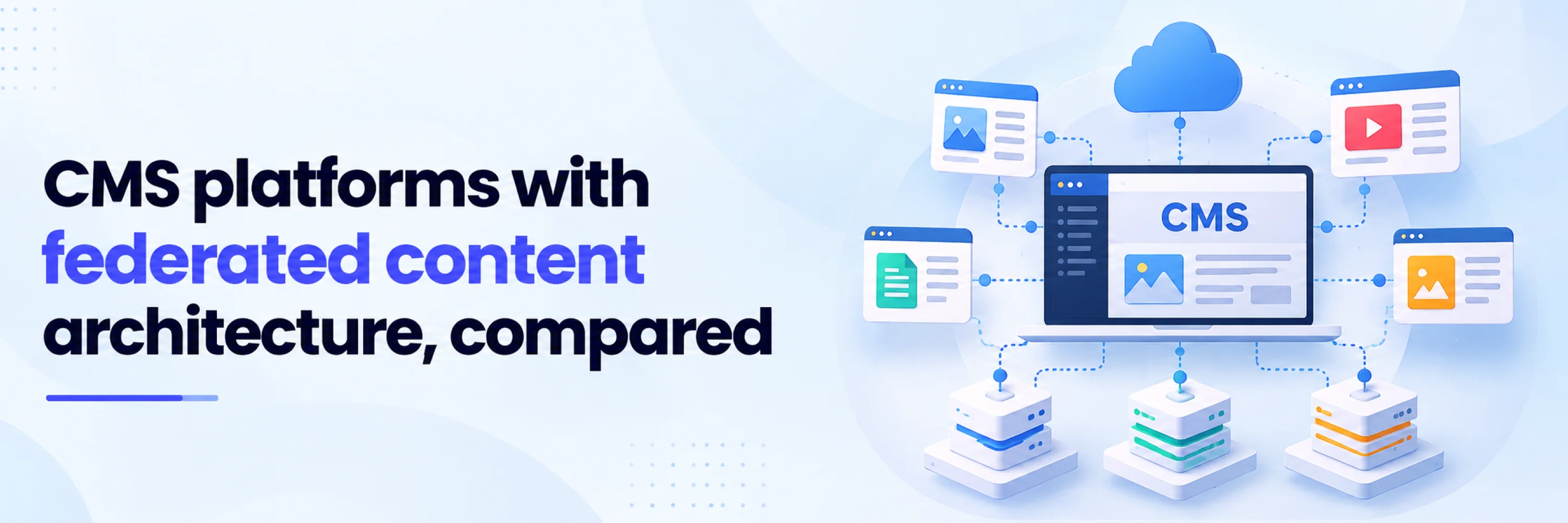
Product data sits in a PIM. Pricing lives in a commerce platform. Images are managed in a DAM. Support content lives somewhere else. Then the web team still has to ship pages, apps, portals, and AI-ready experiences that make all of it feel like one system.
That is the problem federated content architecture is meant to solve.
A federated CMS can leave source systems in place while giving teams a governed layer for using that content in digital experiences. The strongest options connect external sources, preserve ownership, and make content usable without copying everything into one repository.
This guide compares 5 CMS platforms that approach that problem from different angles, so you can see which federation model fits your architecture before building a shortlist.
What federated content architecture means in a CMS
Federated content architecture means content and data can stay in separate source systems while a CMS or experience layer gives teams one governed way to query, model, compose, and deliver that material.
That is different from a basic headless CMS. A headless CMS separates content from presentation and delivers content through APIs. Federation goes further: it asks how content from multiple back-end systems can be joined, governed, previewed, and delivered without forcing every source into one repository.
There are three useful levels to separate:
1. Native federation
Native federation is the strongest fit when the CMS itself can connect external sources and expose them through one content API. Hygraph describes its Content Federation as a way to connect REST or GraphQL services to a Hygraph content model, then query and join data across sources through a single GraphQL API.
2. Federation-ready architecture
Federation-ready platforms connect external systems through integration layers, hubs, custom connectors, or composition tools. They can still work well when the team has strong implementation support and a clear ownership model for each source.
3. Basic headless API delivery
Basic headless delivery lets developers fetch content from the CMS through REST, GraphQL, or SDKs. That helps with omnichannel delivery. External data ownership, editor preview, cross-source governance, and source-system resilience still need separate design work.
How we compared the platforms
This comparison favors platforms that can support multi-source content architecture beyond ordinary API publishing.
The criteria were:
1. Can the platform connect to external content, commerce, product, media, or data systems?
2. Does it expose content through developer-friendly APIs?
3. Can editors work with connected content without depending on custom tickets for every update?
4. Does the platform support governance through roles, workflows, permissions, or auditability?
5. Is the federation model clear enough to evaluate before a migration?
6. Where does the platform fit best: native content federation, experience composition, enterprise content hubs, or database-backed content APIs?
The list leaves out several well-known headless CMS names because Hygraph asked us to keep its most direct comparison-page competitors out of this article.
5 CMS platforms with federated content architecture at a glance
- Hygraph: Native content federation through Remote Sources and GraphQL. Best for teams that want one governed content API across CMS and external services. Requires thoughtful content modeling and technical setup.
- Uniform: Experience composition and federated content through Uniform Mesh. Best for enterprises composing content, commerce, DAM, and campaign data in one workspace. Better evaluated as a DXP/composition layer than a pure CMS replacement.
- Magnolia: Enterprise CMS/DXP with external content source and REST integration options. Best for teams with complex enterprise integrations and Java-based delivery environments. Federation often depends on configuration and development work.
- CoreMedia Content Cloud: Hub APIs and connectors for external systems. Best for large enterprises connecting content, commerce, personalization, and feedback systems. Suits enterprise DXP programs with implementation resources.
- Directus: Database-first API and admin layer for existing data. Best for teams whose source of truth is an existing SQL database or structured data model. Evaluate it as a data-backed CMS/API layer.
1. Hygraph
If the CMS needs to become the governed content graph, Hygraph is the most direct fit. Its Content Federation model lets teams configure REST or GraphQL services as Remote Sources, then query Hygraph content and remote data together through one GraphQL API. The same structured approach helps teams model knowledge as structured content for reuse across portals, apps, support experiences, and AI assistants.
Federation model: Native content federation through Remote Sources, Remote Fields, and GraphQL.
Best fit: Enterprise and high-growth teams that need a governed content graph across CMS, product, commerce, and legacy systems.
Watchout: Teams should model relationships carefully before implementation, especially when source systems have different ownership, uptime, or permission rules.
2. Uniform
Uniform belongs on the shortlist when the digital experience is assembled from several systems at once. Through Uniform Mesh and entry patterns, teams can connect external sources and map their data into a shared content model for composition, personalization, testing, and visual editing.
Federation model: Federated content through Uniform Mesh, entry patterns, and a composition workspace.
Best fit: Teams that need to assemble digital experiences from content, commerce, DAM, and campaign systems.
Watchout: Uniform may be more platform than a team needs if the main requirement is simply exposing CMS content through an API.
3. Magnolia
Magnolia is closer to an enterprise integration platform than a lightweight headless CMS. For teams with Java expertise and custom workflow needs, Magnolia can include outside data sources in Global Search through custom search result suppliers, including REST-based suppliers.
Federation model: Integration-led enterprise CMS with external content search and API extensibility.
Best fit: Enterprise web teams that need a configurable CMS/DXP connected to multiple existing business systems.
Watchout: The federation story is more implementation-led than native; teams should validate how editors will preview, govern, and publish external-source content.
4. CoreMedia Content Cloud
CoreMedia comes from the content-and-commerce side of enterprise DXP. It connects external systems through Content Hub, Commerce Hub, Feedback Hub, and Personalization Hub, which makes it relevant when editorial, commerce, and personalization teams share the same delivery layer.
Federation model: Hub APIs and connectors for content, commerce, feedback, and personalization systems.
Best fit: Large enterprises building integrated content and commerce experiences across several back-end systems.
Watchout: CoreMedia is a heavyweight enterprise option. Smaller teams may find the architecture and implementation model heavier than the problem requires.
5. Directus
Directus makes the most sense when the source of truth already exists in a database. Teams can connect a database, asset storage, and external services, then add REST and GraphQL APIs, auth, file management, automations, and an admin application.
Federation model: Database-first CMS and API layer for existing structured data.
Best fit: Product and engineering teams that want editorial control, permissions, and APIs over an existing data model.
Watchout: Directus works best when teams are comfortable designing and maintaining the underlying data model. Teams seeking native federation across many SaaS systems should validate the fit carefully.
How to choose the right federation model
The right CMS depends on where your source of truth lives and who needs to work with the connected content.
Choose native federation when the CMS should unify external sources
Native federation fits when editors and developers need one governed content API that joins CMS content with product data, commerce details, inventory, documentation, or legacy services. This is where Hygraph is strongest: the CMS becomes the content graph that connects sources without requiring every system to be migrated into it.
Choose a composition layer when the experience spans many systems
A composition layer fits when the team is assembling full digital experiences from many systems. Uniform is strongest here because its model combines CMS content, external systems, visual composition, testing, and personalization in one workspace.
Choose a database-first CMS when existing structured data is the source of truth
A database-first CMS fits when the main content problem is giving teams safe access to existing data. Directus is often relevant when the organization already has the database and needs APIs, permissions, dashboards, files, and editorial workflows around it.
Questions to ask before committing to a federated CMS
Use these questions before you buy, migrate, or rebuild the content layer:
1. Which system owns each content type?
Product specs, prices, images, editorial copy, documentation, and compliance text may each have a different owner. Design federation after source ownership is clear.
2. Can editors preview federated content safely?
If a page combines CMS copy with remote product or commerce data, editors need to know what they can preview, what may be stale, and what happens when a remote source changes.
3. How are permissions and audit trails handled across sources?
A federated model needs clear permission boundaries. Confirm who can view, edit, publish, query, and approve content that comes from each connected system.
4. What happens when an external source is slow or unavailable?
Federation adds dependency risk. Ask how the platform handles caching, fallbacks, rate limits, errors, and preview behavior when a connected service fails.
Conclusion
Federated content architecture is a systems decision. Hygraph is the strongest fit when the CMS itself needs to act as a governed content graph. Uniform works well when the priority is experience composition across many tools. Magnolia and CoreMedia fit enterprise integration programs. Directus fits teams that want APIs and governance over existing structured data.
Before choosing, map your source systems, ownership rules, APIs, editorial workflows, and failure points. The best platform is the one that matches that map.
Frequently asked questions
Q1. Is content federation the same as a headless CMS?
No. A headless CMS separates content from presentation and delivers content through APIs. Content federation connects content or data from multiple source systems and makes it usable through a shared API, content model, or experience layer.
Q2. Do all companies need native content federation?
No. Native federation is most valuable when teams manage content across several systems, brands, products, markets, or channels. A simpler headless CMS may be enough for a single website with one main content repository.
Q3. Is GraphQL required for federated content architecture?
GraphQL is often useful because it lets teams request related data across structured types in one query. Some platforms use GraphQL as the main federation layer. Others rely on REST APIs, connectors, hubs, or composition frameworks.
Q4. Can a federated CMS replace a PIM, DAM, or commerce platform?
Usually, no. The better goal is to let each system keep the data it owns. A federated CMS or composition layer should make that content usable in digital experiences without creating duplicate data, stale copies, or unclear ownership.

 +91 774-202-1725
 +1 (945) 3387904
 business@coherentlab.com
 +49 15223341304
 UK
UK

