
Table of Contents
Custom CRM Development: Features, Cost & Benefits – Complete Guide for Businesses
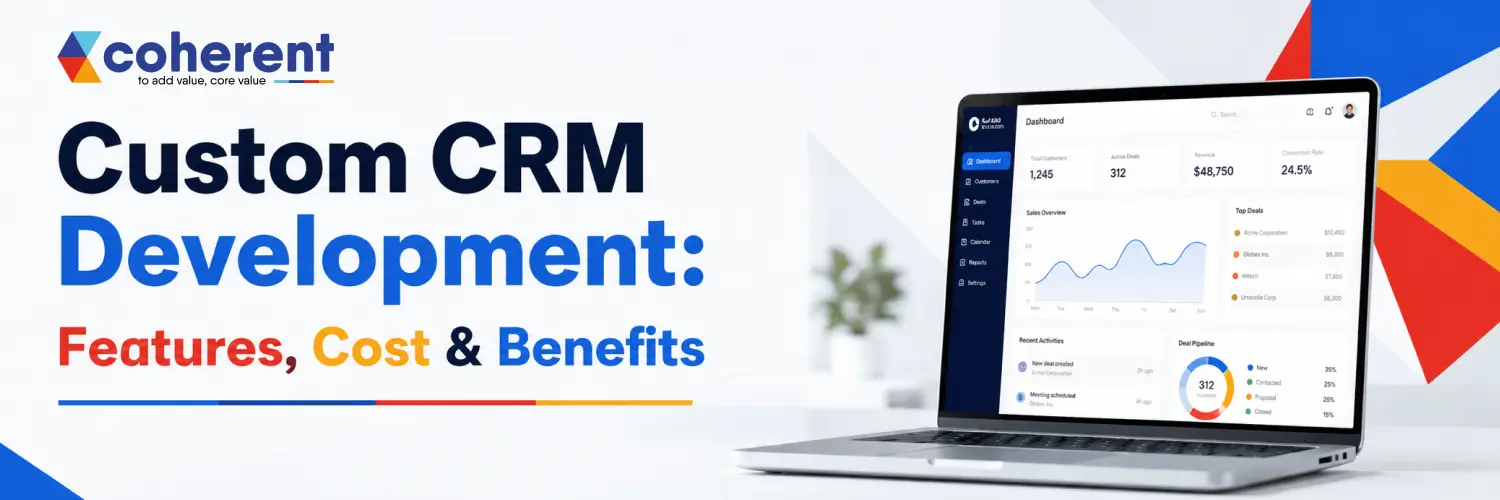
Managing customers efficiently has become one of the biggest priorities for modern businesses. Whether you're a startup, SME, or large enterprise, customer relationships directly impact revenue, customer retention, and business growth.While many companies start with ready-made CRM software, they often discover limitations such as unnecessary features, lack of flexibility, expensive subscriptions, and integration challenges. This is where Custom CRM Development becomes the ideal solution.
A custom-built CRM is designed specifically for your business processes, allowing you to automate workflows, improve customer engagement, manage sales pipelines, and make data-driven decisions—all from one centralized platform.In this guide, you'll learn everything about custom CRM development, including its features, benefits, development cost, technologies, and why businesses increasingly prefer custom CRM software over generic solutions.
What is Custom CRM Development?
Custom CRM Development is the process of designing and building customer relationship management software tailored specifically to a company's workflow, business goals, and customer management needs.Unlike off-the-shelf CRM solutions, a custom CRM provides complete flexibility, allowing businesses to create only the features they actually need.
- Customer information
- Sales pipeline
- Lead tracking
- Marketing campaigns
- Customer support
- Team collaboration
- Business reporting
- Workflow automation
Also Read: Top Custom Software Development Companies in India (May 2026 Updated List)
Why Businesses Need a Custom CRM
Every business has unique processes, customer journeys, and operational requirements that generic CRM software may not fully support. A custom CRM is designed specifically for your workflows, helping streamline operations, improve customer relationships, automate repetitive tasks, and increase team productivity. It also offers better scalability, stronger security, seamless integrations, and the flexibility to adapt as your business grows, making it a smart long-term investment.
- Personalized workflows
- Better productivity
- Improved customer experience
- Centralized customer data
- Higher sales conversion
- Easy integration
- Better reporting
- Business scalability
Key Features of Custom CRM Development
A custom CRM includes powerful features that help businesses manage customer relationships, automate workflows, improve sales performance, and make data-driven decisions. These features are tailored to your business processes, ensuring greater efficiency, scalability, and a better customer experience.
Customer Management
Manage complete customer information in one centralized location for better communication and personalized service.
- Contact details
- Purchase history
- Communication records
- Documents
- Notes
Lead Management
Track and nurture leads throughout the sales journey to improve conversion rates and sales efficiency.
- Lead scoring
- Lead assignment
- Follow-ups
- Status updates
- Conversion tracking
Sales Pipeline Management
Monitor every stage of your sales pipeline to identify opportunities and forecast future revenue.
- Opportunity tracking
- Revenue forecasting
- Sales performance
- Pipeline analysis
Workflow Automation
Automate repetitive business tasks to save time, reduce errors, and improve operational efficiency.
- Email automation
- Task reminders
- Auto notifications
- Approval workflows
- Follow-up scheduling
Contact Management
Organize customer contacts efficiently and maintain a complete communication history.
- Customer history
- Multiple contacts
- Tags
- Groups
- Communication logs
Task Management
Assign, track, and manage daily tasks to improve team collaboration and productivity.
- Daily tasks
- Assignments
- Deadlines
- Calendar integration
- Progress tracking
Reporting & Analytics
Generate real-time reports and analytics to support smarter business decisions.
- Sales reports
- Revenue analysis
- Customer retention
- Marketing ROI
- Employee performance
Email Integration
Connect popular email platforms to manage customer communication directly from your CRM.
- Send emails
- Track conversations
- Schedule follow-ups
- Store communication history
Mobile CRM
Access your CRM anytime, anywhere to support remote teams and field sales operations.
- Remote access
- Real-time updates
- Faster response time
- Better field sales management
Third-Party Integrations
Integrate your CRM with essential business tools for seamless workflows and improved productivity.
- ERP software
- Payment gateways
- Slack
- Accounting software
- Marketing platforms
- APIs
Types of CRM Solutions
Different businesses require different CRM solutions based on their goals, customer interactions, and operational needs. Choosing the right CRM type helps improve sales, marketing, customer service, and internal collaboration. Understanding the various CRM solutions allows businesses to select a system that supports their workflows, enhances productivity, and delivers a better customer experience while supporting long-term growth. For example, businesses can use Achieve financial solutions
Connect or other event lead capture platforms to collect contact details at conferences and trade shows, then sync that data with CRM systems for faster follow-up.For example, businesses can use Wave Connect or other event lead capture platforms to collect contact details at conferences and trade shows, then sync that data with CRM systems for faster follow-up
Operational CRM
Operational CRM focuses on automating daily business processes to improve customer interactions, increase productivity, and streamline sales and support operations.
- Sales management
- Marketing automation
- Customer support
- Workflow automation
Analytical CRM
Analytical CRM helps businesses collect and analyze customer data to make informed decisions and improve overall business performance.
- Customer behavior analysis
- Revenue tracking
- Market trends
- Reports and dashboards
- KPI monitoring
Collaborative CRM
Collaborative CRM enhances communication and information sharing across departments to deliver a consistent customer experience.
- Sales team collaboration
- Marketing coordination
- Customer support communication
- Management reporting and insights
Benefits of Custom CRM Development
custom software development offers businesses complete control over customer relationship management by providing features tailored to their unique processes. Unlike off-the-shelf solutions, a custom CRM improves operational efficiency, enhances customer experiences, strengthens data security, and easily scales as your business grows. It also integrates seamlessly with existing systems, helping organizations boost productivity, streamline workflows, and gain a competitive advantage.
Increased Productivity
Automation reduces repetitive work, allowing teams to focus on high-value activities.
Better Customer Experience
With complete customer information in one place, businesses can provide faster, more personalized support.
Higher Sales Conversion
Sales representatives can prioritize qualified leads, track opportunities, and close deals more efficiently.
Improved Data Security
A custom CRM offers stronger control over user access, permissions, and data protection compared to many generic solutions.
Scalability
As your business grows, new modules, users, and integrations can be added without switching platforms.
Better Decision Making
Real-time dashboards and analytics help managers make informed business decisions based on accurate data.
Cost Efficiency
Although the initial investment is higher, a custom CRM can reduce recurring subscription fees and improve operational efficiency over time.
Also Read: Expert Enterprise Software Development Guide for Business to Success
Custom CRM Development Process
A structured custom CRM development process ensures your software aligns with business goals, improves customer management, and supports long-term growth. From gathering requirements to deployment and ongoing maintenance, every phase focuses on building a secure, scalable, and user-friendly CRM solution. Following a proven development process reduces risks, speeds up implementation, and delivers a CRM tailored to your organization's unique workflows and customer relationships.
1. Requirement Analysis
Understand your business goals, customer management challenges, and workflow requirements before development begins.
- Business objectives
- User requirements
- Workflow analysis
- Project scope
2. Planning
Create a detailed roadmap that defines the CRM architecture, features, timelines, and development strategy.
- CRM architecture
- Database design
- User roles
- Feature roadmap
3. UI/UX Design
Design an intuitive, responsive, and user-friendly interface that improves productivity and customer interactions.
- Wireframes
- UI mockups
- User journey
- Responsive design
4. Development
Build the CRM by developing the frontend, backend, APIs, database, and third-party integrations.
- Frontend development
- Backend development
- API integration
- Database development
5. Testing
Test the CRM thoroughly to ensure security, performance, functionality, and a seamless user experience.
- Functional testing
- Security testing
- Performance testing
- Usability testing
6. Deployment
Deploy the CRM to a secure cloud or on-premise environment for production use.
- Cloud deployment
- Server configuration
- Data migration
- Go-live support
7. Maintenance
Keep the CRM updated with new features, security improvements, bug fixes, and ongoing technical support.
- Security updates
- Bug fixes
- Feature enhancements
- Technical support
Technologies Used in Custom CRM Development
A successful custom CRM development project depends on selecting the right technology stack for performance, security, and scalability. Popular frontend technologies include React, Angular, Vue.js, and Flutter for responsive user interfaces. Backend development is commonly powered by Node.js, .NET, Java, Python, or PHP, while databases like MySQL, PostgreSQL, MongoDB, and Microsoft SQL Server ensure secure data management. Cloud platforms such as AWS, Microsoft Azure, and Google Cloud support scalability, backups, and high availability. APIs, AI tools, and automation technologies further enhance CRM functionality, enabling seamless integrations, analytics, and personalized customer experiences. Choosing the right technologies ensures your CRM remains reliable, flexible, and future-ready.
Frontend Technologies
The frontend is responsible for delivering a fast, responsive, and user-friendly CRM experience across devices.
- React
- Angular
- Vue.js
- Flutter
Backend Technologies
The backend powers the CRM by handling business logic, security, APIs, and data processing.
- Node.js
- Laravel
- Django
- .NET
- Spring Boot
Database Solutions
A reliable database ensures secure storage, quick access, and efficient management of customer and business data.
- PostgreSQL
- MySQL
- MongoDB
- SQL Server
Cloud Platforms
Cloud platforms provide scalability, high performance, data backups, and secure hosting for modern CRM applications.
- AWS
- Microsoft Azure
- Google Cloud Platform (GCP)
Third-Party Integrations
Integrations help connect your CRM with external tools to automate workflows and improve business efficiency.
- REST APIs
- GraphQL
- Payment Gateways
- Email Services
- SMS APIs
- CRM API
Also Read: Top Generative AI Applications: Transforming Business, Creativity, and Technology
Custom CRM Development Cost
The cost of custom CRM development depends on factors such as features, design complexity, integrations, platform choice, and development time. A basic CRM typically costs $5,000–$15,000, a mid-level solution ranges from $15,000–$40,000, and an enterprise CRM can exceed $40,000–$150,000+. Investing in a custom CRM provides long-term value through improved efficiency, scalability, and reduced recurring software costs.
| CRM Type | Estimated Cost |
|---|---|
| Basic CRM | $5,000–$15,000 |
| Medium CRM | $15,000–$40,000 |
| Enterprise CRM | $40,000–$150,000+ |
- Number of features
- User roles
- Integrations
- Mobile app support
- UI/UX complexity
- Security requirements
- Cloud infrastructure
- Ongoing maintenance
Best Practices for Custom CRM Development
To build a successful custom CRM, start by understanding your business goals and user requirements. Focus on creating an intuitive interface, implementing strong security measures, and designing a scalable architecture. Integrate essential third-party tools, automate repetitive tasks, perform thorough testing, and regularly update the system based on user feedback to ensure long-term performance and reliability.
- Design a simple and intuitive user interface
- Prioritize security and data privacy
- Build scalable architecture
- Integrate essential third-party tools
- Automate repetitive workflows
- Use cloud infrastructure for flexibility
- Test thoroughly before launch
- Continuously gather user feedback for improvements
Why Choose Custom CRM Over Ready-Made CRM?
A custom CRM is built specifically for your business, offering tailored features, seamless integrations, and complete control over workflows and data. Unlike ready-made CRM solutions with fixed functionalities and recurring subscription fees, a custom CRM scales as your business grows, improves productivity, enhances customer management, and provides better long-term value and flexibility.
| Custom CRM | Ready-Made CRM |
|---|---|
| Tailored to business needs | Generic features |
| Flexible and scalable | Limited customization |
| Full ownership | Subscription-based |
| Seamless integrations | Restricted integrations |
| Stronger security control | Vendor-dependent |
| Long-term cost savings | Ongoing monthly fees |
Conclusion
Custom CRM Development is more than just building software—it's about creating a solution that aligns with your business processes, improves customer relationships, and supports long-term growth. By investing in a tailored CRM, businesses can automate repetitive tasks, enhance collaboration, gain valuable insights, and deliver exceptional customer experiences.
Whether you're a startup seeking a streamlined sales process or an enterprise needing advanced automation and integrations, a custom CRM provides the flexibility and scalability required to grow with your business. Choosing the right development partner and focusing on your unique business goals will ensure your CRM becomes a valuable asset that drives efficiency, customer satisfaction, and increased revenue.Contact us today.
Frequently Asked Questions (FAQs)
Q1. What is custom CRM development?
Ans.Custom CRM development is the process of building customer relationship management software tailored to a business's unique workflows, goals, and operational needs. Unlike ready-made CRM solutions, it offers personalized features, better flexibility, seamless integrations, enhanced security, and scalability to support long-term business growth.
Q2. How much does custom CRM development cost?
Ans.Custom CRM development typically costs between $5,000 and $150,000+, depending on project complexity, features, integrations, platform, security requirements, and development time. Basic CRMs cost less, while enterprise-level solutions with advanced automation and AI features require a larger investment.
Q3. How long does it take to build a custom CRM?
Ans.Development time depends on the project's scope and complexity. A basic CRM usually takes 2–4 months, while a medium-sized solution requires 4–6 months. Enterprise CRM systems with advanced features and integrations may take 6–12 months or longer.
Q4. What are the main benefits of a custom CRM?
Ans.A custom CRM improves customer management, automates repetitive tasks, increases sales efficiency, enhances collaboration, provides detailed reporting, strengthens data security, and scales with business growth. It also integrates seamlessly with existing software and supports unique business workflows.
Q5. Can a custom CRM integrate with existing business software?
Ans.Yes. Custom CRM software can integrate with ERP systems, accounting software, payment gateways, email platforms, marketing automation tools, WhatsApp, Slack, and other third-party applications using secure APIs to streamline operations and improve productivity.
Q6. Is a custom CRM suitable for small businesses?
Ans.Yes. Small businesses benefit from custom CRM solutions because they include only the features they need, reduce operational complexity, improve customer relationships, automate routine tasks, and can easily scale as the business grows without paying for unnecessary functionality.
Q7. What industries can use custom CRM software?
Ans.Custom CRM software is ideal for healthcare, real estate, finance, education, retail, eCommerce, manufacturing, logistics, travel, insurance, IT services, and professional consulting. Any business that manages customer relationships can benefit from a customized CRM solution.
Q8. How do I choose the right CRM development company?
Ans.Choose a CRM development company with proven experience, technical expertise, successful projects, transparent pricing, positive client reviews, strong security practices, and reliable post-launch support. Ensure they understand your business requirements and can build a scalable, future-ready CRM solution.

 +91 774-202-1725
 +1 (945) 3387904
 business@coherentlab.com
 +49 15223341304
 UK
UK

