Table of Contents
Step-by-Step Guide to Building Your First Flutter App
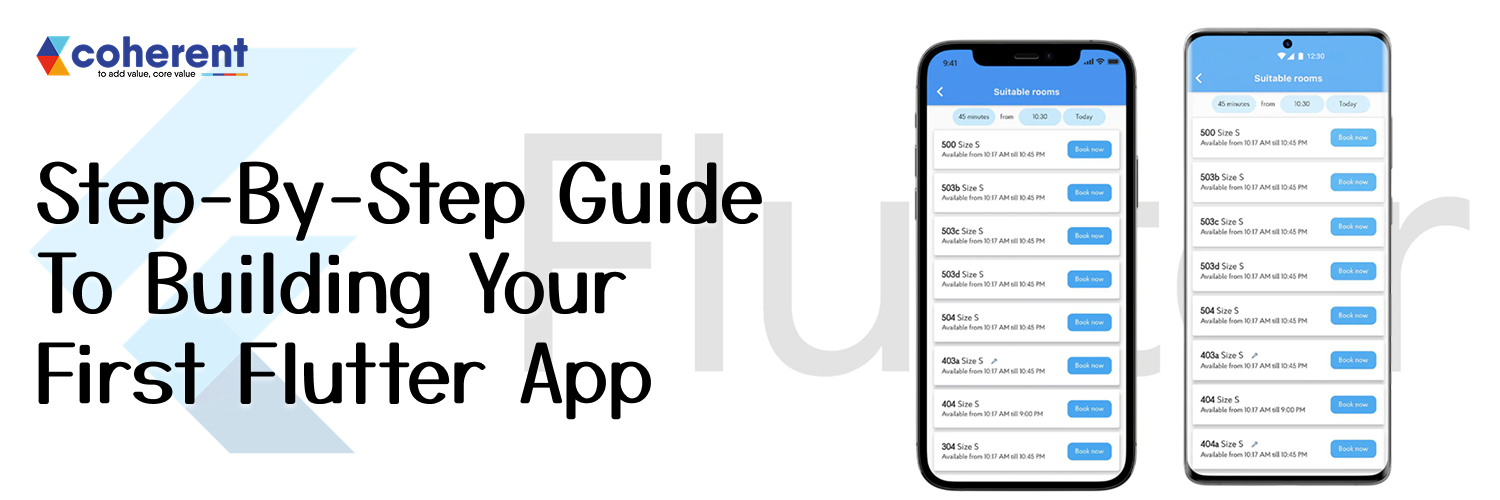
Building your first Flutter app might feel overwhelming at first, but it’s an exciting journey into the world of cross-platform mobile development. Flutter, developed by Google, allows you to create beautiful, responsive apps for both Android and iOS using a single codebase. Whether you’re a beginner or coming from another programming background, Flutter’s intuitive framework and rich widget library make app development approachable and fun.
In this guide, we’ll walk you through each step of the process from setting up your development environment to deploying your first app. You’ll gain hands-on experience, learn best practices, and discover tips that save time while keeping your code clean and efficient.
By the end of this tutorial, you’ll not only have a fully functional Flutter app but also the confidence to explore more advanced features. Let’s turn your app idea into reality!
Why Choose Flutter for Mobile App Development?
Flutter is the perfect choice for mobile app development because it lets you build stunning, high-performance apps for both Android and iOS from a single codebase. With its rich widgets, fast development cycles, and seamless UI customization, Flutter saves time and effort. Developers love its hot-reload feature, making testing and iterations faster, while businesses benefit from cost-effective, scalable apps.
-
Single Codebase for Android & iOS – Build apps for both platforms without writing separate code, saving time and development costs.
-
Fast Development with Hot Reload – Instantly see changes in your app, making testing and iteration quicker and more efficient.
-
Beautiful & Customizable UI – Create visually appealing, responsive interfaces with Flutter’s rich set of widgets.
-
High Performance & Scalability – Enjoy smooth, native-like performance and easily scale your app as your user base grows.
Setting Up Your Flutter Development Environment
Setting up your Flutter development environment is the first step in successful Flutter app development. Install Flutter SDK, configure your IDE like VS Code or Android Studio, and set up an Android or iOS emulator for testing. With a properly configured environment, you can start building, testing, and deploying high-quality Flutter apps efficiently.
| Step | Description | Tips & Notes |
|---|---|---|
| 1. Install Flutter SDK | Download and install the latest Flutter SDK from the official website. | Ensure your system meets all requirements; add Flutter to your PATH. |
| 2. Choose an IDE | Use Visual Studio Code or Android Studio for Flutter app development. | Install Flutter and Dart plugins for full functionality. |
| 3. Set Up Device/Emulator | Configure Android Emulator or iOS Simulator for testing. | Test on both platforms for cross-device compatibility. |
| 4. Verify Installation | Run flutter doctor to check your setup. |
Resolve any issues listed to ensure smooth development. |
| 5. Start Your First App | Create a new Flutter project using CLI or an IDE. | Use flutter create project_name and explore sample code. |
Creating Your First Flutter Project
Creating your first Flutter project is an exciting step in Flutter app development. Start by using the flutter create command or your IDE’s project wizard to set up a new app. Explore the folder structure, understand the main Dart file, and run your app on an emulator or device. Flutter app development explained becomes simple with hands-on practice.
-
Use the Flutter CLI or IDE – Open your terminal or IDE (like VS Code or Android Studio) and run the command:
flutter create my_first_app
This sets up a new Flutter project with a default folder structure.
-
Explore the Project Structure – Familiarize yourself with key folders:
-
lib/– Contains the main Dart files, includingmain.dart. -
android/andios/– Platform-specific code and configurations. -
pubspec.yaml– Manages dependencies, assets, and packages.
-
-
Run Your App – Launch an emulator or connect a physical device. Run:
flutter run
Your default Flutter app should appear, confirming your environment works perfectly.
-
Start Experimenting – Modify the
main.dartfile, change widgets, colors, or layouts, and see changes instantly with Flutter’s hot reload feature. This hands-on approach makes Flutter app development explained and easy to grasp for beginners.
Tips for Beginners:
-
Always use hot reload to save time.
-
Explore Flutter’s rich widget library for customization.
-
Keep your code organized for easier scalability.
By following these steps, you’ll have a fully functional Flutter app running in no time, ready for further development and learning.
Testing Your Flutter App
Testing your Flutter app is essential to ensure smooth performance across devices. Unlike Xamarin, Flutter offers hot reload and a rich set of testing tools for unit, widget, and integration tests. This makes the Flutter vs Xamarin comparison clear—Flutter simplifies testing, speeds up iterations, and delivers a seamless development experience.
| Testing Type | Description | Flutter Advantage | Xamarin Comparison |
|---|---|---|---|
| Unit Testing | Test individual functions or methods in your app. | Easy setup with Flutter’s built-in test package. |
Requires additional setup and configuration. |
| Widget Testing | Test UI components and interactions. | Flutter’s widget testing simulates real user actions efficiently. | Xamarin UI testing is slower and less flexible. |
| Integration Testing | Test full app flow across screens and features. | Flutter’s integration testing ensures smooth end-to-end performance. | Xamarin requires separate tools and longer setup time. |
| Hot Reload | Instantly see code changes during testing. | Speeds up testing cycles and debugging. | Xamarin does not offer the same instant reload experience. |
Launching Your First Flutter App
Launching your first Flutter app is exciting, and adding animations in Flutter app development makes it even more engaging. Flutter’s rich animation library allows smooth transitions, interactive UI elements, and dynamic effects. With simple widgets and tools like AnimatedContainer or Hero, You can enhance user experience and make your app visually appealing.
| Step | Description | Tips & Notes |
|---|---|---|
| 1. Build Your App | Use flutter build apk for Android or flutter build ios for iOS to generate release files. |
Ensure all debug code is removed and assets are optimized. |
| 2. Test on Real Devices | Run your app on multiple devices to check performance, UI, and functionality. | Test different screen sizes and OS versions for compatibility. |
| 3. Configure App Details | Set app name, icon, version, and package ID in pubspec.yaml and platform-specific files. |
Keep consistent branding and follow store guidelines. |
| 4. Submit to App Stores | Upload your APK to Google Play Store or IPA to Apple App Store. | Follow store review guidelines to avoid rejection. |
| 5. Monitor & Update | Track app performance, user feedback, and crash reports. | Release timely updates to improve functionality and user experience. |
Why Choose Coherent Lab to Develop Your First Flutter App
Choosing the right development partner is crucial for a successful Flutter app development journey. Coherent Lab combines expertise, innovation, and hands-on experience to turn your app ideas into reality. From designing intuitive UI/UX to writing clean, scalable code, we ensure your app is high-performing, visually stunning, and fully optimized for both Android and iOS.
-
Expert Flutter Developers – Our team has extensive experience building high-performance, cross-platform apps for Android and iOS.
-
Custom & Intuitive UI/UX – Using Dart in Flutter development, we design visually appealing, responsive interfaces tailored to your brand and user needs, ensuring a seamless and engaging app experience.
-
End-to-End Support – From project planning to deployment, we guide you at every step of Flutter app development.
-
Cost-Effective & Scalable Solutions – We deliver apps that grow with your business without breaking your budget.
-
Timely Delivery & Transparent Communication – Clear updates, realistic timelines, and smooth collaboration ensure a stress-free development process.
Why Choose Coherent Lab to Develop Your First Flutter App
Choosing the right development partner is crucial for a successful Flutter app development journey. Coherent Lab combines expertise, innovation, and hands-on experience to turn your app ideas into reality. From designing intuitive UI/UX to writing clean, scalable code, we ensure your app is high-performing, visually stunning, and fully optimized for both Android and iOS.
-
Expert Flutter Developers – Our team has extensive experience building high-performance, cross-platform apps for Android and iOS.
-
Custom & Intuitive UI/UX – Using Dart in Flutter development, we design visually appealing, responsive interfaces tailored to your brand and user needs, ensuring a seamless and engaging app experience.
-
End-to-End Support – From project planning to deployment, we guide you at every step of Flutter app development.
-
Cost-Effective & Scalable Solutions – We deliver apps that grow with your business without breaking your budget.
-
Timely Delivery & Transparent Communication – Clear updates, realistic timelines, and smooth collaboration ensure a stress-free development process.
Conclusion
Building your first Flutter app may seem overwhelming at first, but by following this step-by-step guide, you can confidently create and launch a fully functional mobile app. Start small, practice regularly, and explore Flutter’s powerful features soon, you’ll be creating apps like a pro!
Ready to build your first Flutter app? Contact Coherent Lab today and let our expert team turn your ideas into a high-performing, visually stunning app!
Frequently Asked Questions
Q1. What is Flutter, and why should I use it for app development?
Flutter is Google’s open-source UI toolkit for building natively compiled applications for mobile, web, and desktop from a single codebase. Using Flutter reduces development time, provides expressive UI components, and ensures high performance. It’s ideal for beginners and professionals who want fast, cross-platform app development without maintaining separate codebases for Android and iOS.
Q2. How do I install Flutter on my system?
To install Flutter, visit the official Flutter website and download the SDK for your OS (Windows, macOS, or Linux). Extract the files, add Flutter to your system’s PATH, and run flutter doctor to check dependencies. Install Android Studio or VS Code with Flutter and Dart plugins for a seamless development experience. This ensures you can start building apps immediately.
Q3. What are the basic components of a Flutter app?
A Flutter app consists of widgets, which are the building blocks of the UI. Common widgets include Scaffold, Container, Text, Row, Column, and Button. Flutter uses the Dart programming language, and widgets are nested to create layouts. Understanding Stateful and Stateless widgets is essential to manage dynamic content and user interactions effectively.
Q4. How do I create my first Flutter project?
Open your terminal or VS Code and run flutter create project_name. This generates a ready-to-use project with a main. dart file. Open the project in an IDE like Android Studio or VS Code. Connect an emulator or physical device and run flutter run to launch the default starter app. From here, you can customize and add widgets as needed.
Q5. How can I design an attractive UI in Flutter?
Flutter allows you to create visually appealing apps using prebuilt widgets, custom widgets, and themes. Use Container, Padding, Row, Column, and Stack for layout design. Add TextStyle, BoxDecoration, and Colors for aesthetics. Leverage Flutter’s Material and Cupertino widgets to match platform-specific designs while maintaining cross-platform consistency.
Q6. How do I handle user input and interactions in Flutter?
Flutter provides interactive widgets like TextField, GestureDetector, Buttons, and Form to handle user input. Use onPressed, onTap, or onChanged callbacks to detect actions. Manage the state using Stateful widgets, Provider, or Riverpod. This enables dynamic content updates and smooth app functionality based on user interactions without rebuilding the entire UI.
Q7. What are the best practices for building a Flutter app?
Follow clean code principles, separate UI and logic using state management, and use reusable widgets. Optimize app performance by reducing widget rebuilds and using const constructors. Test on multiple devices, handle errors gracefully, and leverage Flutter packages from pub.dev. Regular updates and code reviews ensure maintainable and scalable apps for the future.

 +91 774-202-1725
 +1 (945) 3387904
 business@coherentlab.com
 +49 15223341304
 UK
UK