
Table of Contents
How AI Agents Will Change Mobile Apps From “Tools” Into Digital Employees
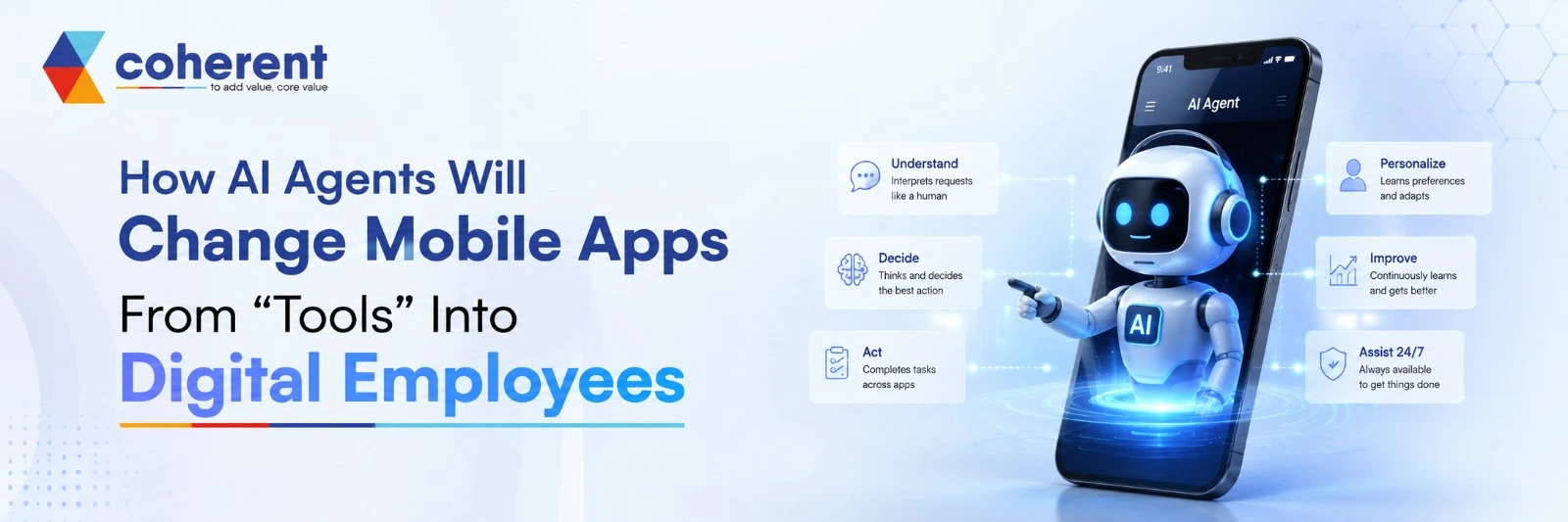
Mobile apps have traditionally worked like digital tools. You open an app, search for something, click a button, complete a task, and close it. But that model is changing quickly.With the rise of AI agents in mobile apps, applications are becoming more proactive, intelligent, and capable of completing tasks on behalf of users. Instead of simply responding to commands, AI-powered mobile apps can understand goals, make decisions, use connected tools, and take action with minimal human intervention.
Think about asking your mobile app, “Find me the best flight to Dubai next weekend, compare prices, check my calendar, and remind me when I need to leave for the airport.” A traditional app would require several manual steps. An AI agent could potentially handle the workflow for you.This shift is moving mobile applications from being digital tools to becoming digital employees or personal AI assistants that can work continuously in the background.
What Are AI Agents in Mobile Apps?
AI agents are intelligent software systems that can understand a user's goal, reason through multiple steps, use tools or APIs, and perform actions to complete a task. Unlike a traditional chatbot that mainly provides information, an AI agent-powered mobile app can potentially move from conversation to execution. An AI agent could understand the request, identify the restaurant, check availability, select the previous order, confirm the delivery details, and prepare the order for approval. Businesses looking to build intelligent, scalable, and personalized applications can explore AI App Development solutions for integrating AI capabilities into modern mobile experiences.
- Natural language understanding
- Reasoning and decision-making
- Memory and personalization
- API and tool integration
- Task planning
- Workflow automation
How AI Agents Differ From Traditional Mobile Apps
Traditional applications are largely command-driven. Users navigate menus, fill out forms, apply filters, and select individual actions.AI agent applications introduce a more goal-driven experience.Instead, mobile applications are likely to combine conventional UI with conversational and agentic interfaces.Users may still tap buttons when they want control, while AI agents handle repetitive or complex workflows.
| Capability | Traditional Mobile App | AI Agent Mobile App |
|---|---|---|
| Task Handling | User performs each step | Agent can manage multiple steps |
| Navigation | Menu-based navigation | Conversational interaction |
| Interaction | Reactive | Proactive |
| Workflows | Fixed workflows | Dynamic workflows |
| Personalization | Limited personalization | Context-aware personalization |
| Task Initiation | User initiates most tasks | Agent can recommend or initiate actions |
| Automation | Rule-based automation | AI-driven automation |
Why AI Agents Are Turning Apps Into Digital Employees
The biggest change isn't simply that mobile apps are becoming smarter. The real transformation is that applications can start doing work instead of only providing functionality. A digital employee can be thought of as an AI-powered software worker capable of handling specific business or personal tasks. The user becomes less of an operator and more of a manager. That is the fundamental shift behind agentic AI in mobile applications. Coherent Lab helps businesses explore and build intelligent AI-powered mobile solutions designed around automation, personalization, and real-world business needs.
- Identify high-value leads
- Analyze customer interactions
- Draft personalized messages
- Schedule follow-ups
Key AI Agent Features for Mobile Applications
Businesses planning an AI agent mobile app should focus on features that solve genuine user problems instead of adding AI simply for marketing. The right combination of agentic AI, automation, personalization, natural language processing, API integration, and voice technology can transform a traditional application into an intelligent digital assistant that understands user intent, completes tasks, and delivers faster, more personalized mobile experiences.
1. Natural Language Interaction
Natural language interaction allows users to communicate with an AI-powered mobile app through everyday text or voice instead of navigating multiple screens. AI agents can understand intent, context, and conversational requests, making mobile applications easier and more intuitive for users.
- Simplifies app navigation
- Improves user experience
- Supports conversational AI
- Reduces manual interactions
- Makes complex tasks easier
2. AI-Powered Task Automation
AI-powered task automation enables mobile agents to handle multi-step workflows instead of requiring users to complete every action manually. The agent can understand a request, create a plan, access connected tools, execute approved actions, and provide the final result, making AI mobile app development more efficient and user-focused.
- Understand user intent
- Break the request into tasks
- Create an execution plan
- Access APIs and tools
- Complete required actions
3. Personalization and Memory
Personalization and memory allow AI agents to understand relevant user preferences and previous interactions. Instead of providing generic recommendations, an AI agent mobile application can use appropriate context to deliver experiences tailored to individual users, improving engagement, convenience, and long-term customer relationships.
- Improve recommendations
- Reduce repeated inputs
- Increase customer engagement
- Create personalized workflows
- Deliver more relevant experiences
4. Tool and API Integration
Tool and API integration allows AI agents to move beyond answering questions and actually perform useful actions. By securely connecting an AI-powered mobile app with external services, agents can retrieve information, update systems, and execute workflows based on user requests and business rules.
- Payment gateways
- Maps and location APIs
- Booking systems
- CRM platforms
5. Voice-Based AI Agents
Voice-based AI agents make mobile applications more natural and hands-free. Users can speak directly to an AI mobile assistant instead of typing or navigating screens. The agent can interpret voice commands, understand context, access connected services, and coordinate multiple actions, creating a faster and more convenient mobile experience.
- Faster task completion
- Better accessibility
- Natural conversational experience
- Convenient on-the-go assistance
Also read:How to Build an AI Agent for Your Business?
How AI Agents Will Change Mobile App Experiences
AI agents are transforming mobile app experiences from simple, user-controlled tools into intelligent, context-aware assistants. Instead of requiring users to navigate menus and complete every step manually, AI-powered mobile apps can understand intent, automate workflows, provide proactive recommendations, and focus on desired outcomes. This shift toward agentic AI in mobile applications can make apps faster, more personalized, conversational, and useful across everyday consumer and business experiences. Businesses can explore mobile app development to build scalable applications that combine intelligent AI capabilities with seamless user experiences.
From App Navigation to Intent-Based Interaction
Traditional mobile apps require users to navigate through multiple screens, filters, and menus to complete a task. With AI agent mobile apps, users can simply describe what they want, and the agent can determine the required steps. This creates an intent-based experience that reduces friction and makes applications feel more like intelligent digital assistants.
From Reactive Apps to Proactive Apps
Traditional applications generally wait for users to open them and request information. AI-powered mobile applications can become more proactive by analyzing relevant context and providing useful alerts, recommendations, or assistance at the right moment.
From Features to Outcomes
Users don't necessarily want more app features; they want tasks completed quickly and easily. AI agents in mobile apps shift product design from feature-focused experiences toward outcome-driven experiences.
AI Agent Use Cases Across Industries
AI agent development has applications across consumer, enterprise, and service-based industries. By combining large language models, automation and mobile interfaces, companies can create intelligent applications that perform useful tasks rather than simply display information.
AI Agents in E-Commerce Apps
AI shopping agents can simplify product discovery by understanding what customers actually need instead of forcing them to browse through large catalogs. An AI-powered e-commerce app can analyze requirements, compare relevant products creating a more conversational and personalized shopping experience.
AI Agents in Travel Apps
Travel applications are well suited to agentic AI because planning a trip often requires coordinating multiple services. A travel AI agent can understand preferences, search relevant options, create itineraries, and assist with bookings.
AI Agents in FinTech Apps
AI agents in fintech applications can help users understand financial activity and automate suitable administrative tasks. An intelligent financial assistant can analyze transactions, identify spending patterns, provide personalized insights, and support budgeting.
AI Agents in Healthcare Apps
Healthcare applications can use AI agents to simplify administrative processes and help users access relevant information. For example, an AI healthcare assistant could support appointment scheduling, reminders, document organization, and patient navigation.
AI Agents in Education Apps
AI educational agents can transform learning applications into personalized digital tutors. Instead of providing the same content to every student, an AI-powered education app can adapt explanations, practice exercises,creating a more interactive and personalized learning experience.
AI Agents in Business Apps
Business applications can benefit significantly from AI agent development because many business workflows involve repetitive research, communication, analysis, and data management.
AI Agents vs Traditional Chatbots
Traditional chatbots mainly answer questions and follow predefined conversation flows, while AI agents can understand goals, reason through multi-step tasks, use external tools, access business data, and take actions. This makes AI agents more capable for modern mobile applications. As agentic AI evolves, businesses can move from basic conversational support toward intelligent, personalized, and task-oriented digital experiences.
| Capability | Traditional Chatbot | AI Agent |
|---|---|---|
| Answer Questions | Yes | Yes |
| Natural Language | Yes | Yes |
| Context Awareness | Limited | Advanced |
| Multi-Step Planning | Limited | Yes |
| Tool Usage | Limited | Extensive |
| Task Execution | Limited | Yes |
| Personalization | Basic | Advanced |
| Autonomous Workflows | Limited | Yes |
Building an AI agent-powered mobile app involves more than integrating a large language model or chatbot. Businesses must consider security, accuracy, cost, integrations, scalability, and user control from the beginning. AI agents can interact with sensitive data and external systems, so development teams need reliable architecture, strong safeguards, testing, and monitoring to deliver secure, trustworthy, and scalable agentic AI mobile applications.
Data Privacy and Security
AI agents may access personal, financial, business, or other sensitive information while completing tasks. Strong security architecture is therefore essential for AI mobile app development. Businesses should control what information an agent can access, what actions it can perform, and when users must provide approval before sensitive operations are executed.
- Authentication
- Authorization
- Data encryption
- Data governance
- Role-based access controls
AI Accuracy
AI agents can produce incorrect information or make inappropriate decisions if they receive incomplete data, unclear instructions, or unreliable model outputs. For this reason, AI agent development requires continuous testing and validation. Businesses should design systems that detect errors, restrict risky actions, and involve human oversight whenever an incorrect decision could create significant consequences.
- Output validation
- AI guardrails
- Human approval
- Continuous monitoring
- Automated testing
Cost of AI Agent Development
The cost of AI agent mobile app development depends on the application's functionality, AI architecture, integrations, infrastructure, and development requirements. A basic AI assistant may be relatively affordable, while an enterprise multi-agent platform can require substantially more investment because of advanced automation, data processing, security, scalability, and ongoing AI model usage.
- Mobile app complexity
- AI model selection
- Number of integrations
- Data requirements
Integration Complexity
AI agents become significantly more useful when they can interact with external applications and business systems. However, connecting APIs, databases, payment platforms, CRM systems, enterprise software, and third-party services can increase development complexity. Developers must ensure that integrations are secure, reliable, scalable, and properly permissioned before allowing agents to perform automated actions.
- API compatibility
- Authentication and permissions
- Data synchronization
- Third-party service reliability
- API rate limits
- Error handling
Technology Stack for AI Agent Mobile Apps
A modern AI agent mobile application requires a technology stack that combines mobile development, artificial intelligence, backend engineering, databases, APIs, and cloud infrastructure. The ideal stack depends on the application's objectives, expected traffic, security requirements, AI workload, and integration needs. Choosing scalable technologies early can help businesses build reliable AI-powered mobile apps that can evolve as agent capabilities expand.
Mobile Development
The mobile layer provides the user interface through which people communicate with and control AI agents. Businesses can choose native or cross-platform development depending on performance, budget, platform requirements, and product goals. The selected framework should support conversational interfaces, voice features, notifications, secure authentication, and smooth interaction with backend AI services.
- Flutter
- React Native
- Kotlin
- Swift
AI Technologies
The AI layer provides the intelligence behind the mobile agent. Depending on the application's requirements, developers may combine large language models, generative AI, machine learning, RAG, speech AI, computer vision, and agent orchestration. The right combination depends on whether the application needs conversation, reasoning, search, recommendations, automation, or multimodal capabilities.
- Large Language Models
- Generative AI
- Natural Language Processing
- Machine Learning
- Retrieval-Augmented Generation
Backend Technologies
The backend connects the mobile application with AI models, databases, APIs, authentication systems, and business logic. A reliable backend is particularly important for AI agent apps because agents may need to execute multiple actions across different services. Developers should prioritize scalability, security, API performance, monitoring, and reliable communication between application components.
Databases
Databases store application information, user preferences, business records, conversation history, and other data required by AI agents. Depending on the application, developers may combine traditional relational databases with NoSQL, caching, and vector database technologies. The database architecture should support performance, security, scalability, and efficient retrieval of relevant information.
- PostgreSQL
- MySQL
- MongoDB
- Redis
Cloud Infrastructure
Cloud infrastructure provides the computing resources needed to run mobile backends, AI services, databases, APIs, and automated workflows. Platforms such as AWS, Microsoft Azure, and Google Cloud can support scalable AI application development. Businesses should select infrastructure based on performance, security, geographic availability, compliance, cost, and expected application growth.
- AWS
- Microsoft Azure
- Google Cloud
- Cloud storage services
Also read:Top AI Features for Mobile Apps to Improve UX in 2026
Why Businesses Should Invest in AI-Powered Mobile Apps
The move toward AI agent applications is not simply another technology trend.It represents a change in how people interact with software.Businesses that start experimenting with AI agents now can identify high-value workflows before competitors and develop stronger AI capabilities over time.Instead, businesses should identify where intelligence, automation, and decision-making can create measurable value.
- Repetitive customer workflows
- Complex user journeys
- Large amounts of business data
- Multiple systems that need coordination
How AI Agents Will Redefine Mobile App Development
Mobile app development has traditionally focused on screens, features, navigation, APIs, and databases.AI agent development adds another layer: intent, reasoning, context, tools, and autonomous workflows.For businesses planning to build an AI-powered mobile application, working with an experienced AI app development company can help connect the AI layer with the mobile product, backend infrastructure, APIs, and business objectives.
- Mobile application development
- AI/ML
- LLM integration
- Backend engineering
- API development
- Cloud infrastructure
Conclusion
AI agents are changing the definition of what a mobile application can be.Traditional apps wait for users to interact with them. AI agent-powered apps can understand goals, reason through tasks, connect to external tools, personalize experiences, and potentially complete workflows on behalf of users.This transformation is moving mobile apps from tools that people operate toward digital employees that people collaborate with.For businesses, the opportunity is enormous. The winning strategy won't be adding AI everywhere. It will be identifying the right tasks, designing trustworthy agent workflows, protecting user data, and creating experiences where AI genuinely saves time.If you're planning to build an AI agent-powered mobile app or want to transform an existing application with intelligent automation, Get in Touch with our technology experts to discuss your idea and explore the right AI development approach.
Frequently Asked Questions
Q1. What are AI agents in mobile applications?
Ans. AI agents are intelligent software systems that understand user goals, reason through tasks, access relevant data and tools, and take actions. In mobile applications, they can automate multi-step workflows, personalize recommendations, and assist users through natural language or voice. Unlike basic automation, AI agents can adapt their responses based on context, user preferences, and available information.
Q2. How are AI agents different from chatbots?
Ans. Traditional chatbots mainly answer questions and follow predefined conversation flows, while AI agents can understand goals, plan tasks, use external tools, access business data, and execute multi-step workflows. This makes AI agents more capable for modern mobile applications. While chatbots primarily focus on conversation, agentic AI focuses on reasoning, decision-making, automation, and completing meaningful tasks for users.
Q3. Can AI agents perform tasks inside mobile apps?
Ans. Yes, AI agents can perform tasks inside mobile applications when the app architecture provides the required permissions, APIs, and integrations. Depending on the use case, an agent can interact with databases, booking platforms, calendars, payment services, CRM systems, and other tools. Appropriate authentication, authorization, validation, and user approval should be implemented for sensitive or high-impact actions.
Q4. Will AI agents replace traditional mobile apps?
Ans. AI agents are unlikely to completely replace traditional mobile applications. Instead, they will become an intelligent interaction layer within many apps. Traditional interfaces remain valuable when users need precise control, visual information, or manual navigation. AI agents can complement these interfaces by handling repetitive tasks, understanding natural-language requests, providing recommendations, and automating complex workflows when appropriate.
Q5. How much does AI agent mobile app development cost?
Ans. The cost of AI agent mobile app development depends on application complexity, AI model selection, integrations, security requirements, features, infrastructure, and development expertise. A basic AI assistant may require a smaller investment, while an enterprise-grade agent with multiple APIs, advanced automation, data processing, and security controls can require significantly higher development and maintenance costs.
Q6. Which industries can benefit from AI agent mobile apps?
Ans. Almost every major industry can benefit from AI agent mobile applications, including e-commerce, travel, fintech, healthcare, education, logistics, real estate, customer service, and enterprise software. AI agents can automate repetitive processes, personalize user experiences, analyze information, coordinate workflows, and provide intelligent assistance. The most valuable applications are those where AI can solve specific, measurable customer or business problems.
Q7. What technologies are used to build AI agent mobile apps?
Ans. AI agent mobile applications commonly combine technologies such as Flutter, React Native, Kotlin, Swift, large language models, machine learning, APIs, backend frameworks, databases, cloud platforms, and retrieval-augmented generation (RAG). Depending on the application, developers may also use vector databases, speech recognition, computer vision, and agent orchestration technologies to create intelligent and scalable mobile experiences.
Q8. Why should businesses invest in AI agent development?
Ans. Businesses can invest in AI agent development to automate repetitive workflows, improve customer experiences, personalize services, increase productivity, and create new digital products. AI agents can help applications move beyond basic functionality toward intelligent task execution. Companies that identify practical use cases early can develop valuable experience with agentic AI while improving efficiency and preparing their mobile products for future user expectations.

 +91 774-202-1725
 +1 (945) 3387904
 business@coherentlab.com
 +49 15223341304
 UK
UK

