
Table of Contents
Invideo Editor vs Premiere Pro: Which Video Editing Software Is Better?
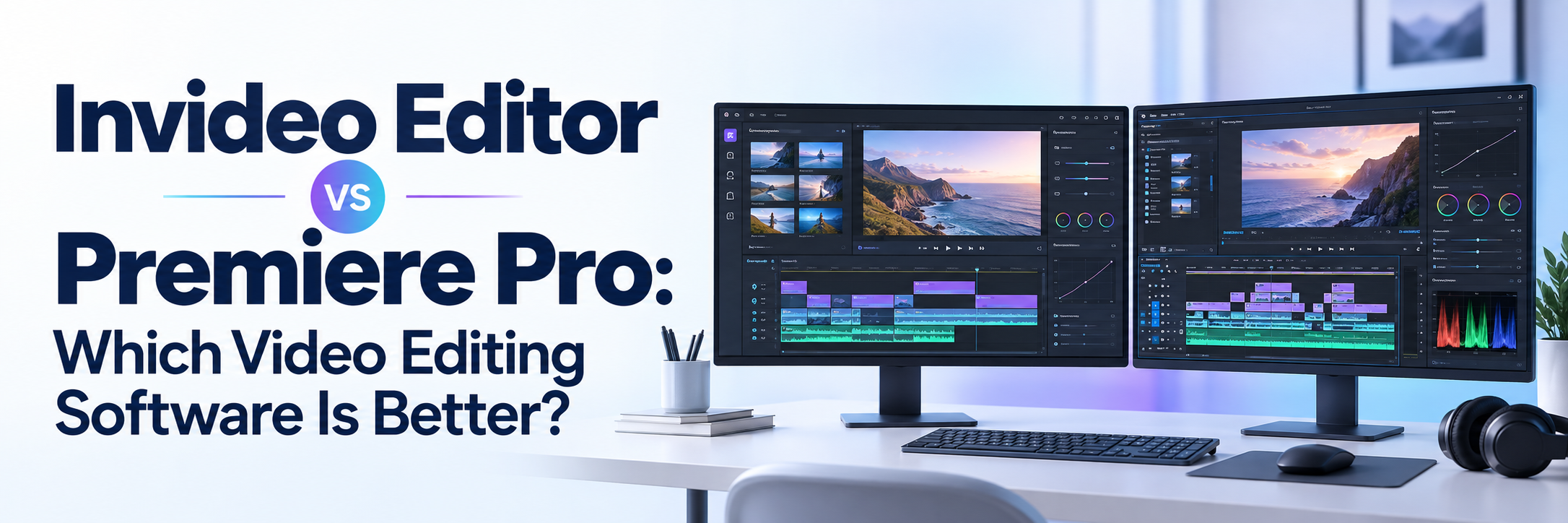
Choosing the right video editor can significantly affect your production speed, creative control, and overall workflow. Adobe Premiere Pro has long been a preferred option for professional editors who need precise timeline control and advanced post-production tools. Invideo Editor, meanwhile, introduces a different approach built around AI agents, semantic search, and conversational video editing.The Invideo Editor vs Premiere Pro comparison is therefore not simply about features. It is about deciding whether you want AI to perform complete editing tasks or prefer a traditional professional workflow with AI-assisted tools.
This guide compares both platforms across usability, AI capabilities, collaboration, editing control, export options, and ideal use cases.
Invideo Editor vs Premiere Pro: Quick Comparison
|
|
What Is Invideo Editor?
Invideo Editor is a browser-based video editing platform that combines a multitrack timeline with AI agents. Instead of applying every edit manually, users can describe the desired result in plain language and assign editing tasks to the AI.
For example, an editor can ask the platform to remove pauses, select the strongest takes, assemble a rough cut, synchronise multiple cameras, change the pacing, or match a reference video. The completed work appears on an editable timeline, allowing the user to review and adjust every decision manually.
According to Invideo, its agents can handle footage logging, first assemblies, beat syncing, reference matching, silence removal, colour correction, and project restructuring.
This combination makes Invideo more than a basic AI video editing tool. It functions as an AI editing assistant capable of completing connected, multi-step jobs.
What Is Adobe Premiere Pro?
Adobe Premiere Pro is professional video editing software used for social media content, advertisements, documentaries, films, corporate videos, and other complex productions.
It offers detailed timeline editing, multicamera workflows, colour grading, audio tools, effects, transitions, masking, keyframing, and integrations with other Adobe applications. Its established ecosystem also includes hundreds of third-party apps and integrations.
Premiere Pro has introduced several AI-assisted features, including:
- Text-Based Editing
- Media Intelligence
- Object Mask
- Generative Extend
- Automatic transcription
- Filler-word detection
- Auto Reframe
- AI-powered audio categorisation
- Speech enhancement
Text-Based Editing allows editors to build and refine a rough cut by working with a transcript, while Media Intelligence helps users find clips by describing their visual or audio content.
Key Features of Invideo Editor
| Feature | InVideo Editor | Adobe Premiere Pro |
|---|---|---|
| Editing Approach | AI-powered, agentic, and manual editing | Professional manual editing with AI-powered tools |
| Platform | Browser-based | Primarily desktop-based |
| Learning Curve | Beginner-friendly | Moderate to advanced |
| Timeline | Editable multitrack timeline | Advanced professional timeline |
| Conversational Editing | Yes | Limited |
| Semantic Media Search | Yes | Available through Media Intelligence |
| AI Rough Cuts | AI agents can assemble initial edits | Text-Based Editing supports rough cuts |
| Collaboration | Browser-based sharing and review links | Team Projects and Frame.io |
| Multicam Editing | AI-assisted and manual | Advanced manual multicamera editing |
| Color Tools | Basic and AI-assisted controls | Advanced color correction and grading |
| Plugin Ecosystem | Limited | Extensive third-party ecosystem |
| Best For | Fast, AI-led video production | Detailed, professional post-production |
Agentic Video Editing
The biggest difference between Invideo Editor and conventional editing software is its agentic workflow. An agentic video editor can understand a broader editing objective, analyse the available footage, perform multiple connected actions, and return an editable result. Instead of selecting and running separate tools, the editor assigns an outcome such as creating a first draft or shortening a video.
This can reduce the repetitive work involved in reviewing takes, removing mistakes, organising footage, and building an initial sequence.
Conversational Video Editing
Conversational video editing allows users to request changes using natural language. A user might ask the AI editing assistant to:
- Remove long pauses and filler words
- Create a 60-second version
- Replace a weak take
- Make the opening faster
- Find clips featuring a particular person or object
- Synchronise cuts with the music
- Rearrange sections for a clearer story
This workflow is especially useful for creators who understand the result they want but do not know every technical editing command.
Semantic Video Editing
A semantic video editor works with the meaning and context of footage rather than relying only on filenames, folders, or timestamps.
Invideo’s agents can analyse people, actions, objects, dialogue, and camera angles. This makes it easier to locate specific moments across a large collection of raw clips without manually scrubbing through every file.
Editable Multitrack Timeline
AI does not completely replace manual control in Invideo Editor. Videos are placed on a multitrack timeline where users can arrange, trim, split, and move visual or audio clips.
The platform’s timeline includes separate video and audio tracks, a monitor, an inspector, media controls, and manual editing options. Users can edit manually or assign additional work to the AI agents.
Browser-Based Collaboration
Because the editor works in a browser, projects are not limited to one installed desktop application. Team members can access projects, review videos, and leave frame-specific comments through shared links.
Invideo also supports exporting an editable project for Premiere Pro, Final Cut Pro, or DaVinci Resolve, according to its official product page.
Key Features of Adobe Premiere Pro
Professional Timeline Editing
Premiere Pro provides detailed control over almost every part of an edit. Its trimming tools support ripple, roll, slip, and slide edits with frame-level precision.
This control is valuable for editors working on projects where exact timing, layered effects, audio transitions, and complex sequences matter.
Text-Based Editing
Premiere Pro can automatically transcribe spoken footage. Editors can then select, move, or delete transcript text to make corresponding changes on the timeline.
It can also detect filler words and remove pauses, making it particularly useful for interviews, podcasts, educational videos, and talking-head content.
Media Intelligence
Media Intelligence lets editors search footage using everyday descriptions. They can look for specific objects, actions, sounds, dialogue, or visually similar clips.
This gives Premiere Pro some semantic video editor capabilities, although its central workflow remains more manually controlled than Invideo’s agent-based approach.
Generative Extend
Generative Extend uses Adobe Firefly to add frames to the beginning or end of video clips. It can also generate additional ambient audio to improve transitions or cover gaps.
This is useful when a reaction shot ends too early, a background sound needs to continue, or an editor requires a few more frames for a smoother transition. Adobe notes that this feature uses generative credits.
Advanced Effects and Colour Control
Premiere Pro is the stronger choice for detailed post-production work. It provides extensive tools for:
- Colour correction and grading
- Keyframe animation
- Motion graphics
- Audio mixing
- Masking and tracking
- Multicamera sequences
- Speed adjustments
- Visual effects
- Custom export settings
It also integrates with applications such as After Effects, Photoshop, Audition, Adobe Stock, and Frame.io.
Team Collaboration
Premiere Pro supports shared editing through Team Projects. Multiple editors can work on shared timelines, exchange updates through the cloud, and lock sequences to reduce editing conflicts.
Frame.io integration provides cloud-based media management, review links, centralised comments, and direct feedback within the production workflow.
Invideo Editor vs Premiere Pro: Detailed Comparison
Ease of Use
Invideo Editor is generally easier for beginners because users can communicate their editing goals in everyday language. The AI handles much of the initial organisation and assembly.
Premiere Pro requires more technical knowledge. New users must understand concepts such as sequences, tracks, codecs, proxies, keyframes, effects, and export settings. However, this complexity provides greater control once the software is mastered.
Winner for ease of use: Invideo Editor
AI Editing Capabilities
Invideo focuses on agentic execution. Its agents can analyse footage and complete broader assignments involving several editing steps.
Premiere Pro uses AI to accelerate individual parts of a professional workflow, including transcription, masking, clip search, reframing, audio categorisation, and clip extension.
The better choice depends on the desired experience:
- Choose Invideo when you want AI to perform editing work.
- Choose Premiere Pro when you want AI tools inside a manually controlled workflow.
Winner for autonomous AI editing: Invideo Editor
Winner for specialised professional AI tools: Premiere Pro
Editing Speed
Invideo can reduce the time spent logging footage, removing weak takes, assembling a first cut, and creating shorter versions. This is valuable for high-volume content production.
Premiere Pro can also speed up editing through transcripts, media search, templates, keyboard shortcuts, and automated tools. However, the editor remains responsible for more individual decisions.
Winner for rapid first drafts: Invideo Editor
Creative Control
Premiere Pro provides deeper control over timing, effects, colour, sound, animation, masking, and export settings. It is better suited to complex projects that require detailed creative decisions.
Invideo offers manual timeline control but is primarily designed to make editing faster and more accessible through AI.
Winner for detailed creative control: Premiere Pro
Collaboration
Invideo offers an accessible collaborative AI video editor experience through browser-based projects, review links, and frame-specific feedback.
Premiere Pro provides a more established professional collaboration environment through Team Projects, Creative Cloud Libraries, and Frame.io.
Winner for simple browser collaboration: Invideo Editor
Winner for advanced production teams: Premiere Pro
Hardware and Accessibility
Invideo operates in a browser and processes assigned AI jobs in the cloud. This may be convenient for users who work across multiple devices or do not want to manage a demanding desktop installation.
Premiere Pro runs primarily as desktop software and can require capable hardware for smooth editing, particularly when working with high-resolution footage, numerous effects, or complex sequences.
Winner for accessibility: Invideo Editor
Integrations and Plugins
Premiere Pro has a mature ecosystem of plugins, extensions, templates, applications, and hardware integrations. Adobe states that Premiere supports more than 400 third-party apps and integrations from its video partners.
Invideo’s ecosystem is less extensive, although the ability to export editable projects to other professional editors can support hybrid workflows.
Winner for integrations: Premiere Pro
Pros and Cons of Invideo Editor
Pros
- Beginner-friendly browser interface
- Natural-language editing instructions
- AI-assisted footage logging
- Automatic first-cut assembly
- Semantic footage search
- Editable multitrack timeline
- Fast content repurposing
- Simple sharing and review process
- Useful for high-volume video production
Cons
- Less control than Premiere Pro for complex post-production
- Smaller plugin and integration ecosystem
- AI results still require human review
- Agent jobs may depend on available credits
- Browser and cloud features require reliable internet access
Pros and Cons of Adobe Premiere Pro
Pros
- Advanced professional timeline
- Precise trimming and editing tools
- Strong colour and audio controls
- Multicamera editing
- Wide selection of effects and transitions
- Text-Based Editing and Media Intelligence
- Extensive plugin ecosystem
- Adobe Creative Cloud integration
- Professional collaboration through Frame.io
Cons
- Steeper learning curve
- Requires a paid subscription
- Can demand powerful hardware
- More manual work for routine editing tasks
- Some generative AI features use credits
- The interface may feel complex to beginners
Which Platform Is Better for Beginners?
Invideo Editor is the more approachable option for beginners. Its conversational video editing system allows users to explain what they want instead of learning every technical tool first.
It is suitable for marketers, YouTubers, social media teams, small businesses, educators, and creators who want professional-looking results without a lengthy learning process.
Premiere Pro can still be learned by beginners, but it requires more time, practice, and technical understanding.
Which Platform Is Better for Professional Editors?
Premiere Pro remains the stronger option for professional editors who need frame-level precision, advanced colour grading, detailed sound control, multicamera workflows, complex effects, and broad software integration.
However, Invideo Editor can complement a professional workflow. An editor could use its AI agents to organise footage or prepare a first assembly before exporting the editable project to Premiere Pro for detailed finishing.
This hybrid approach combines AI-powered speed with professional creative control.
Which Is the Best Video Editing Software for You?
Choose Invideo Editor if you:
- Want to edit through natural-language instructions
- Need faster rough cuts and content repurposing
- Prefer browser-based editing
- Produce frequent social or marketing videos
- Want AI to handle repetitive editing tasks
- Need a simpler learning experience
Choose Adobe Premiere Pro if you:
- Need precise control over every edit
- Work on films, advertisements, or complex productions
- Require advanced colour and audio tools
- Use plugins or other Adobe applications
- Regularly edit multicamera footage
- Need an established professional workflow
Final Verdict: Invideo Editor or Premiere Pro?
There is no universal winner in the Invideo Editor vs Premiere Pro comparison.
Invideo Editor is better for creators and teams that value speed, accessibility, conversational control, and AI-led automation. Its agentic workflow can handle repetitive production tasks while leaving the resulting timeline editable.
Premiere Pro is better for professional editors who require advanced tools, detailed control, extensive integrations, and a mature post-production environment.
For fast, AI-supported content production, choose Invideo Editor. For technically complex and highly polished professional work, choose Premiere Pro. Editors who need both speed and precision can use Invideo for the initial assembly and Premiere Pro for final post-production.
Frequently Asked Questions
Is Invideo Editor better than Premiere Pro?
Invideo Editor is better for fast, conversational, and agentic editing. Premiere Pro is better for advanced manual control, complex effects, colour grading, audio production, and professional post-production.
Can professional editors use Invideo Editor?
Yes. Professional editors can use it for footage logging, rough-cut creation, take selection, silence removal, content restructuring, and other repetitive tasks before completing the project manually.
Does Premiere Pro offer conversational video editing?
Premiere Pro offers AI-powered search and transcript-based editing, but its workflow is not as focused on assigning complete editing tasks through conversation as Invideo Editor.
What is a semantic video editor?
A semantic video editor analyses the meaning of footage, including dialogue, people, objects, actions, and visual context. This helps editors find relevant clips without depending only on filenames or manual tags.
Which editor is better for YouTube and social media?
Invideo Editor is a strong option for creators who need to produce and repurpose content quickly. Premiere Pro is preferable when videos require custom effects, advanced sound design, detailed colour work, or precise editing.
Can I export an Invideo project to Premiere Pro?
Invideo states that users can export editable projects for Premiere Pro, Final Cut Pro, or DaVinci Resolve with cuts and layers preserved. Export compatibility should still be checked against the specific project requirements.

 +91 774-202-1725
 +1 (945) 3387904
 business@coherentlab.com
 +49 15223341304
 UK
UK

