
Table of Contents
5+ Best AI Video Editing Tools in 2026: Features, Comparisons, and Reviews
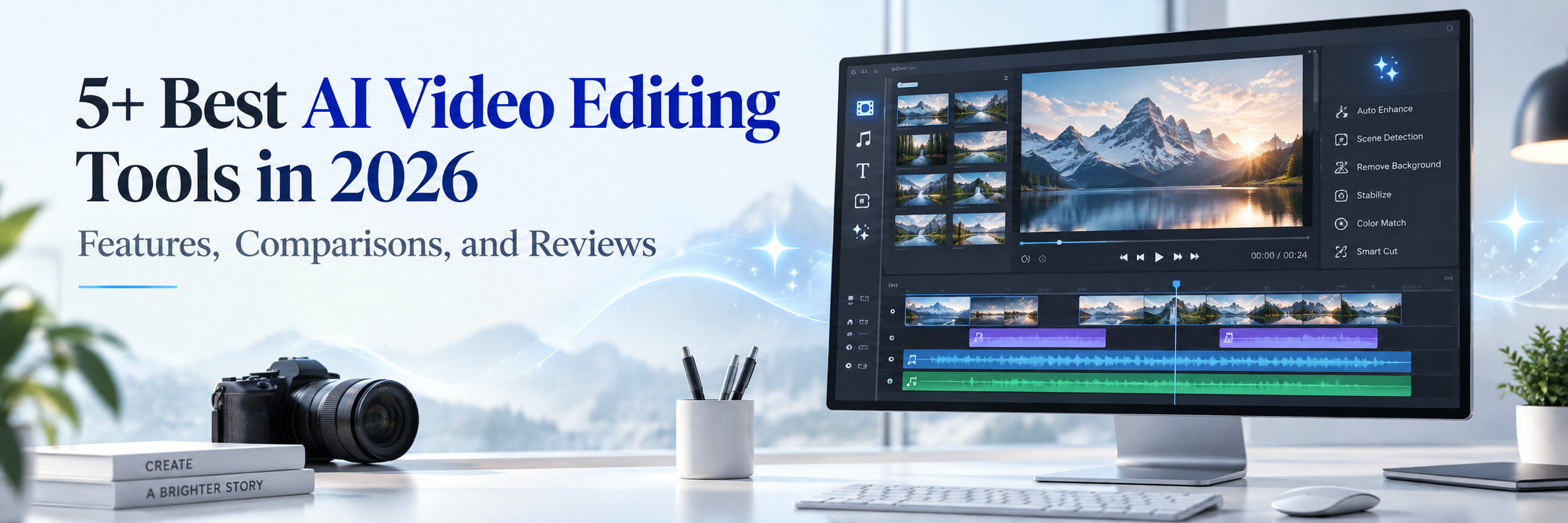
AI has changed video editing from a time-consuming, technical process into a faster and more accessible creative workflow. Today’s best AI video editing tools can generate captions, remove pauses, identify highlights, improve audio, create B-roll and even complete multi-step edits from written instructions.
However, every platform serves a different purpose. Some provide a professional timeline, while others specialize in podcasts, talking-head videos or social media clips. This guide compares five leading tools Invideo Editor, Descript, Wisecut, Submagic and CapCut to help you select the right AI video editing platform in 2026.
What Is an AI Video Editing Tool?
An AI video editing tool uses artificial intelligence to automate tasks such as trimming footage, creating subtitles, removing silence, improving audio and resizing videos.More advanced platforms can understand a video’s transcript, context and visual content. A semantic video editor edits content according to mea,ning, while a conversational video editor allows users to request changes using natural language. An agentic video editor goes further by planning and completing several connected editing tasks inside a project.
How AI Is Shaping the Future of Video Editing
The future of video editing is moving toward collaboration between human creators and AI assistants. Instead of manually completing every cut, editors can give the software a creative brief and review the result.A next-generation video editor can now help with:
- Understanding raw footage and transcripts
- Planning and applying multiple edits
- Generating captions, scripts and supporting visuals
- Repurposing long videos into social media clips
- Giving creators manual control over the final output
AI does not completely replace creative judgment. It handles repetitive production work so creators can spend more time improving the story, pacing and visual quality.
Best AI Video Editing Tools in 2026
1. Invideo Editor
Invideo Editor is a browser-based professional editor that combines a multitrack timeline with AI editing agents. Users can make manual adjustments or ask an AI assistant to work directly on the same timeline.Unlike tools that only return a finished AI-generated video, Invideo Editor is designed to keep the resulting project editable. Its combination of natural-language instructions and detailed timeline control makes it a strong choice for creators seeking an AI video editor with timeline functionality.
Four Key Features
- Multitrack timeline: Arrange video, audio and other project elements with detailed manual control.
- Agentic editing: Give AI agents a brief and let them complete connected editing tasks.
- Professional controls: Adjust colour, audio and other technical elements within the editor.
- Generative and stock media: Access AI-generated assets and stock content without leaving the project.
Strengths
- Combines AI automation with professional timeline editing
- Suitable for both manual and conversational editing workflows
- Keeps AI-generated edits accessible for further customization
Limitations
- Advanced AI agents and generative models consume credits
- The number of tools may feel overwhelming to complete beginners
- A stable internet connection is important because the editor is browser-based
Best For
Content creators, marketers, agencies and editors who want AI assistance without giving up control over the timel,ine.
Review
Invideo Editor offers one of the most balanced workflows in this comparison. Its main advantage is not simply generating content it allows AI assistants to carry out real work within an editable project. This makes it a practical AI creative editor for users who need speed as well as control.
2. Descript
Descript is a text-based audio and video editing platform. It transcribes uploaded footage and lets users edit the recording by changing its transcript. Its AI co-editor, Underlord, can follow instructions, suggest improvements and complete various editing tasks.The traditional timeline remains available when precise manual adjustments are required. Descript also provides tools for removing filler words and retakes, improving sound, creating captions, and repurposing videos.
Four Key Features
- Text-based editing: ,Cut or rearrange a video by editing its transcript.
- Underlord AI co-editor: Request editing changes through conversational instructions.
- Automatic cleanup: Remove filler words, retakes and distracting background noise.
- Scenes and layouts: Add B-roll, titles, multicamera arrangements and visual layouts.
Strengths
- Excellent for dialogue-heavy videos and podcasts
- Familiar document-style editing experience
- Strong audio correction and speech-cleanup tools
Limitations
- Less suitable for complex cinematic or effects-heavy projects
- AI-generated edits still require a careful human review
- Media-hour and AI-credit limits depend on the selected plan
Best For
Podcasters, educators, interviewers, YouTubers and business teams producing spoken-content videos.
Review
Descript is a particularly effective conversational video editor for people who prefer working with words instead of navigating a complicated timeline. It is fast and approachable, although traditional editors may still be better for detailed motion graphics and advanced visual effects.
3. Wisecut
Wisecut is an automated editing platform designed to turn long, speech-focused recordings into polished videos and short clips. It can remove silence, add subtitles, create punch-in effects, apply background music and reframe content for different aspect ratios. Instead of relying on a conventional timeline, Wisecut offers a storyboard-style editing experience. That makes it especially accessible for users who want quick results without learning professional editing software.
Four Key Features
- Automat,ic silence removal: Identifies and cuts unnecessary pauses.
- AI subtitles: Generates captions that can be styled for a brand.
- Smart background music: Adds music and lowers its volume while someone is speaking.
- Automatic reframing: Converts videos into vertical, square or widescreen formats.
Strengths
- Saves time when editing long talking-head recordings
- Simple workflow with no traditional timeline required
- Useful for creating multiple social clips from one video
Limitations
- Offers less frame-level control than a full timeline editor
- Automatic cuts may occasionally affect natural speech pacing
- Not designed for advanced animation or cinematic editing
Best For
YouTubers, coaches, educators and podcasters who regularly repurpose long recordings.
Review
Wisecut is a, convenient AI video editing tool for repetitive, speech-based production. Its automation is the central attraction, but creators who want precise control over every edit may find the storyboard workflow restrictive.
4. Submagic
Submagic focuses on creating high-retention short-form content for TikTok, Instagram Reels and YouTube Shorts. It can automatically find highlights, remove silence, add captions, insert B-roll and enhance videos with zooms, transitions, images, GIFs and sound effects.
Its Magic Clips feature can extract short moments from longer footage, while its translation tools support multilingual content creation.
Four Key Features
- Animated AI captions: Produces customizable word-by-word subtitles.
- Magic Clips: Finds useful moments and transforms them into short clips.
- Automatic enhancements: Adds B-roll, zooms, transitions and sound effects.
- Multilingual tools: Generates or translates captions for different audiences.
Strengths
- Built specifically for short-form social content
- Produces engaging captions with minimal manual effort
- Speeds up repurposing of long videos into multiple clips
Limitations
- Less suitable for long-form or cinematic productions
- Automatic visual effects may appear excessive for some brands
- Limited fine-grained control compared with a professional timeline
Best For
Influencers, social media managers, personal brands and agencies creating short-form videos at scale.
Review
Submagic is a focused rather than all-purpose AI video editing platform. It is valuable when speed, captions and social engagement are priorities, but creators may need to reduce its automatic effects to maintain a clean professional brand style.
5. CapCut
CapCut is an accessible editing platform available across desktop, web and mobile devices. It combines a multitrack timeline with AI features such as Script to Video, Auto Reframe, Auto Captions and automatic short-video creation.
It also includes keyframes, speed controls, effects, filters, colour tools and background removal. This combination makes CapCut useful for both quick social content and more detailed manual projects.
Four Key Features
- Script to Video: Converts a written concept or script into an initial video.
- Auto Captions: Recognizes speech and creates synchronized subtitles.
- Auto Reframe: Adjusts footage for different social media aspect ratios.
- Timeline editing: Supports multiple layers, keyframes, effects and detailed trimming.
Strengths
- Available on mobile, desktop and the web
- Large collection of social media effects and templates
- Combines beginner-friendly automation with manual controls
Limitations
- Some AI tools and assets require a paid plan
- Certain features may vary according to platform or region
- Its large interface and asset library can feel cluttered
Best For
TikTok, Instagram and YouTube creators who want to edit across multiple devices.
Review
CapCut is a versatile option for modern social media production. It gives beginners an easy starting point while still offering an AI video editor with timeline controls. However, its template-driven style may require customization if a business wants a more distinctive visual identity.
AI Video Editing Tools Comparison Table
| Tool | Best For | Timeline | Conversational Editing | Main AI Capability | Ease of Use |
|---|---|---|---|---|---|
| Invideo Editor | AI-assisted professional editing | Full multitrack | Yes | Agentic editing inside an editable timeline | Easy to moderate |
| Descript | Podcasts and talking-head videos | Available | Yes | Transcript-based editing and AI co-editing | Easy |
| Wisecut | Automated long-to-short editing | No traditional timeline | Limited | Silence removal and automatic repurposing | Very easy |
| Submagic | Reels, Shorts and TikTok videos | Limited | Limited | Captions, highlights and social enhancements | Very easy |
| CapCut | Social content across devices | Multitrack | Available in selected workflows | Script-to-video, captions and auto reframing | Easy |
Which AI Video Editor Is Best for You?
The right platform depends on the content you produce and the degree of control you need. For professional projects, test each shortlisted tool with the same raw footage. Compare the quality of its cuts, captions, audio, pacing and export before choosing a paid plan.
- Choose Invideo Editor if you want an agentic AI assistant and a professional editable timeline.
- Choose Descript if you regularly edit podcasts, interviews or other dialogue-heavy content.
- Choose Wisecut if you want to automate the cleanup and repurposing of long recordings.
- Choose Submagic if animated captions and short-form social videos are your priority.
- Choose CapCut if you need a flexible mobile, desktop and web editor with popular creative effects.
Final Verdict
There is no s,ingle AI video editor that is ideal for every creator. Invideo Editor stands out for combining AI agents with detailed timeline control, while Descript offers an excellent transcript-based workflow. Wisecut and Submagic simplify automated content repurposing, and CapCut provides a broad toolkit for social media creators.The best next-generation video editor should reduce repetitive work while keeping you in control of the final story. As AI editing platforms continue to evolve, the strongest tools will blend conversational instructions, semantic understanding and flexible manual editing.
Frequently Asked Questions
What is the best AI video editing tool in 2026?
Invideo Editor is a strong option for AI-assisted timeline editing, while Descript is well suited to podcasts and dialogue-based content. Submagic and Wisecut are better for automated short clips, whereas CapCut offers a flexible social media workflow.
What is an AI video editor with a timeline?
It is an editor that combines AI automation with a visual timeline. Users can ask AI to perform tasks and then manually adjust individual clips, audio tracks, captions and effects.
What is a conversational video editor?
A conversational editor allows users to request changes in natural language, such as “remove long pauses,” “add captions” or “turn this recording into a one-minute social video.”
What is a semantic video editor?
A semantic editor analyzes the meaning and context of spoken or visual content. It can help identify topics, important moments, pauses and sections that may be removed or rearranged.
What is an agentic video editor?
An agentic video editor can interpret an objective, plan several steps and carry out editing work inside a project. It moves beyond isolated AI f,eatures by functioning more like an assistant editor.
Can AI completely edit a professional video?
AI can prepare a strong first edit and automate many repetitive tasks. However, professional results still benefit from human review for storytelling, brand accuracy, pacing, emotional impact and visual consistency.

 +91 774-202-1725
 +1 (945) 3387904
 business@coherentlab.com
 +49 15223341304
 UK
UK

