Table of Contents
Email Marketing for Mobile Apps: Onboarding, Re-engagement and Transactional Emails
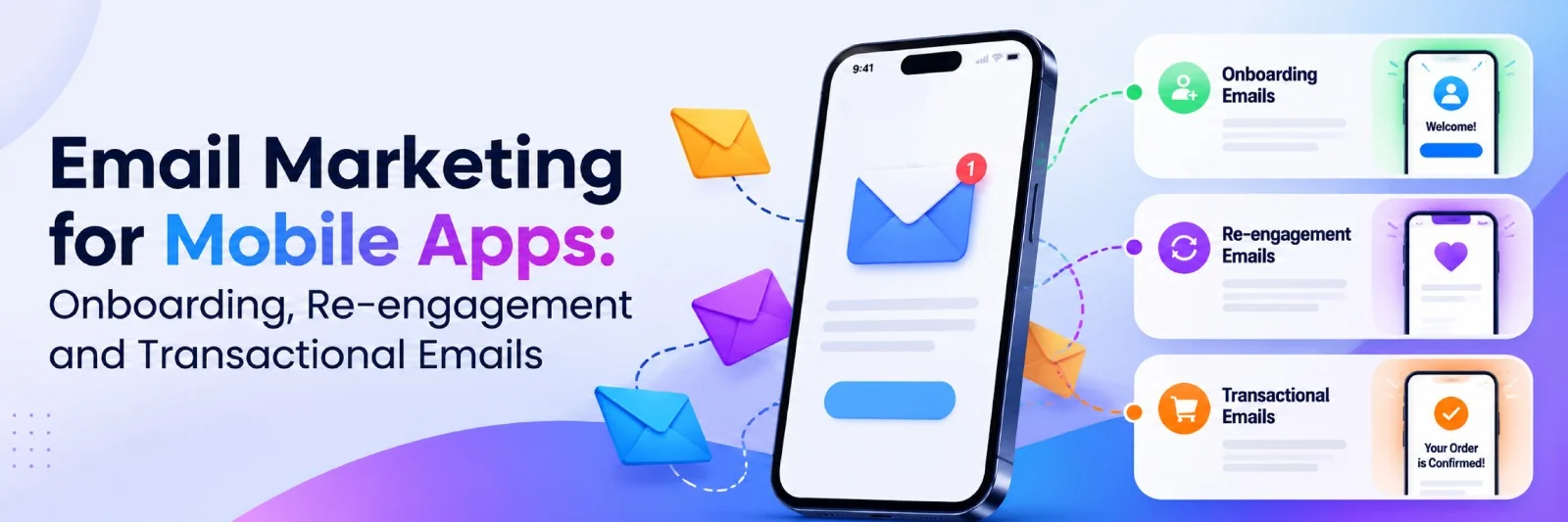
Someone downloads your app, creates an account, and explores a few features. A week later, they've stopped opening it. Push notifications might help, but what if they've disabled them or uninstalled the app?
That's where email comes in. A strong mobile app email marketing strategy helps users get started, return after inactivity, and stay informed about important account activity. With email builder software, app teams can create reusable, mobile-friendly messages without coding every email from scratch.
Here's how to build effective onboarding, re-engagement, and transactional email flows.
Why Mobile Apps Still Need Email
Push notifications, in-app messages, and email work best together.
Push is useful for quick reminders. In-app messages guide people while they're using the product. Email reaches users outside the app, including those who have disabled notifications.
It can also help bring back people who uninstalled the app, provided you have permission to contact them.
Email offers more room for explanations, screenshots, and useful links. For example, a fitness app might send a push notification about today's workout, then use email to explain how to build a weekly training plan.
The goal isn't to send more messages. It's to choose the right channel for each situation.
1. Onboarding Emails: Help New Users Get Started
The first interactions with an app are critical. Good onboarding emails guide users toward meaningful actions instead of overwhelming them with features.
Start with a welcome email immediately after signup. Explain the app's main benefit and offer one clear action.
For a budgeting app, that might be creating the first spending category.
Use Behavior-Based Triggers
Rather than sending everyone the same sequence, adapt emails to user activity.
- Signup completed: Send a welcome message.
- Profile incomplete: Explain the next setup step.
- First action completed: Introduce a relevant feature.
- Activation achieved: Share more advanced tips.
If someone finishes a step, remove them from reminders about that action.
Add Deep Links
Deep links take users directly to the relevant app screen instead of the homepage.
For instance, an email about completing a workout plan should open that plan inside the app.
Use iOS Universal Links or Android App Links, with an appropriate website or app store fallback when the app isn't installed.
Keep each email focused on one action, such as "Complete Your Profile" or "Create Your First Plan."
2. Re-engagement: Bring Inactive Users Back
Not every inactive user has abandoned your product permanently. Some simply forget about it or no longer need a particular feature.
A thoughtful win back email gives them a relevant reason to return.
Define Inactivity Correctly
Different apps have different usage patterns.
Someone may open a travel booking app occasionally, while a language-learning app typically encourages more frequent sessions.
Use product analytics to identify meaningful inactivity thresholds rather than sending reminders after an arbitrary number of days.
Personalize the Message
A generic "We miss you" email doesn't explain why someone should return.
Connect the message to the user's last meaningful action.
A reading app might highlight saved articles. A fitness app could suggest continuing an unfinished training plan. A shopping app might recommend products in a previously explored category, subject to applicable privacy preferences.
Offer Value, Not Just Discounts
New features, useful content, and simpler workflows can encourage people to return without promotional incentives.
For example:
|
User Behavior |
Email Approach |
|---|---|
|
Incomplete setup |
Offer setup guidance |
|
Unfinished activity |
Link directly to that activity |
|
Previously active user |
Introduce relevant improvements |
|
Long-term inactivity |
Send a final re-engagement message |
Avoid repeatedly contacting users who don't respond.
Create a sunset policy to reduce or stop promotional emails after continued inactivity.
3. Transactional Emails: Prioritize Reliability
Unlike promotional campaigns, transactional emails are triggered by account actions or service events.
They include password resets, verification codes, receipts, subscription renewals, and security alerts.
Users expect these messages to arrive promptly. A delayed password reset can prevent someone from accessing their account.
Transactional Email Examples
|
Email Type |
Essential Content |
|---|---|
|
Account Verification |
Verification link or code |
|
Password Reset |
Secure reset link |
|
Purchase Receipt |
Transaction summary |
|
Subscription Renewal |
Billing and renewal details |
|
Security Alert |
Account activity and next steps |
Keep these messages focused.
A password reset email shouldn't be filled with product promotions. Mixing promotional content into transactional messages may also affect their legal classification.
Separate Sending Streams
Where practical, use separate infrastructure or sending streams for transactional and marketing messages.
Configure appropriate authentication, including SPF, DKIM, and DMARC. Monitor delivery failures and keep security-sensitive emails concise.
Never include passwords or complete payment card details.
For verification codes, use expiration periods and safeguards against repeated attempts.
4. Design Emails for Mobile Screens
Your emails should feel like an extension of the app itself.
Use recognizable colors, similar typography, and consistent visual elements. A single-column structure is usually easier to read on smartphones than a complicated multi-column layout.
Make CTAs Easy to Tap
Buttons should be easy to recognize and comfortably spaced.
Use specific labels such as "Open My Plan," "View Booking," or "Continue Setup."
Avoid placing multiple small links too close together.
Check Dark Mode
Mobile users frequently switch between light and dark interfaces.
Preview your emails in both modes, especially when using transparent logos, illustrations, or colored backgrounds.
Keep essential headlines and buttons as HTML elements instead of embedding everything inside images.
Reuse Templates
Building each message manually creates unnecessary work.
Create reusable layouts for welcome emails, feature tutorials, renewal notices, and re-engagement campaigns.
Change the text, images, and CTA while keeping the overall structure consistent. This reduces production effort and makes future updates easier.
5. Measure Real App Engagement
Email opens don't necessarily translate into product activity.
Measure what users do after receiving a message.
Useful metrics include:
- Activation rate: Users completing their first meaningful action.
- Reactivation rate: Inactive users returning to the app.
- Retention rate: Users continuing to engage over time.
- Conversion rate: Users completing the intended action after clicking.
- Delivery performance: Failed deliveries, bounces, and spam complaints.
Connect email campaign data with app analytics to understand which messages support actual engagement.
For example, compare whether a personalized onboarding email produces more completed setups than a general introduction.
Don't rely exclusively on open rates, which can be distorted by email privacy features.
6. Respect Consent and Communication Preferences
Mobile apps often send both service-related and promotional messages.
Make the distinction clear.
Marketing emails must comply with relevant regulations, including GDPR, CAN-SPAM, and applicable local laws.
Obtain consent where required, offer appropriate unsubscribe options, and respect users' communication preferences.
Transactional messages may follow different rules, but that doesn't mean promotional content can be added without restrictions.
Avoid using sensitive app activity in email subject lines, especially when messages might appear on shared devices.
7. Connect Email With the User Journey
An effective lifecycle strategy begins with product events, not an arbitrary sending calendar.
Map the main stages: registration, activation, regular usage, inactivity, and account transactions.
Then choose the appropriate channel for each event.
Some messages work better as push notifications. Others deserve a detailed email. Critical service events may require both an in-app confirmation and an email receipt.
Using reusable templates, teams can maintain visual consistency while adapting content to different lifecycle stages.
Before launching a flow, check that triggers work correctly, deep links lead to the intended screens, and messages stop when they're no longer relevant.
Review your automation whenever the app introduces major features or changes its onboarding experience.
8. Common Mobile App Email Marketing Mistakes to Avoid
Even a well-designed email sequence can underperform when timing, targeting, or messaging doesn't match user expectations.
Before launching your campaigns, watch out for these common mistakes.
Sending Too Many Emails Too Quickly
New users don't need a welcome message, feature tutorial, and promotional offer arriving within the same hour.
Too many messages create unnecessary noise and may encourage people to unsubscribe.
Space out your onboarding emails based on user activity. If someone completes the requested action, skip the related reminder.
For promotional campaigns, introduce frequency limits so different automated flows don't overlap excessively.
Ignoring User Behavior
Sending identical emails to every subscriber might be convenient, but it often reduces relevance.
A user who regularly engages with your app needs different communication than someone who hasn't opened it recently.
Segment audiences using meaningful events such as completed registrations, feature usage, subscription changes, and inactivity.
Keep personalization useful and respect privacy preferences.
Treating Every Email Like a Promotion
Not every message should encourage an upgrade or purchase.
Transactional emails should prioritize the information users requested or need to complete an account-related action.
Similarly, educational messages should genuinely help people understand the product rather than repeatedly pushing paid features.
Trust matters more than squeezing another offer into every email.
Forgetting About the Post-Click Experience
An effective email can still fail if its CTA leads to the wrong destination.
Imagine clicking "Complete Your Profile" and landing on the app's homepage without any guidance.
Use reliable deep links, test fallback destinations, and make sure the next screen matches the promise made in the email.
Failing to Review Automated Campaigns
Automated emails can continue running long after their content becomes outdated.
A feature might be renamed, a subscription plan might change, or an onboarding step might disappear.
Schedule regular reviews of your mobile app email marketing flows. Check triggers, content accuracy, design consistency, and actual conversion results.
Small improvements across these areas can make automated communication more useful without increasing the number of messages users receive.
Also read:Single-Service vs Multi-Service On-Demand Apps: Which Should You Build?
Final Thoughts
Effective app email marketing focuses on relevance rather than volume.
Onboarding helps users discover value. Re-engagement gives inactive users a reason to return. Transactional messages keep essential account activity reliable.
Combine behavior-based triggers, clear design, useful deep links, and thoughtful measurement. When email supports the app experience instead of interrupting it, it can become a valuable retention channel.

 +91 774-202-1725
 +1 (945) 3387904
 business@coherentlab.com
 +49 15223341304
 UK