
Table of Contents
Why Multi-Factor Authentication Isn't Always Enough
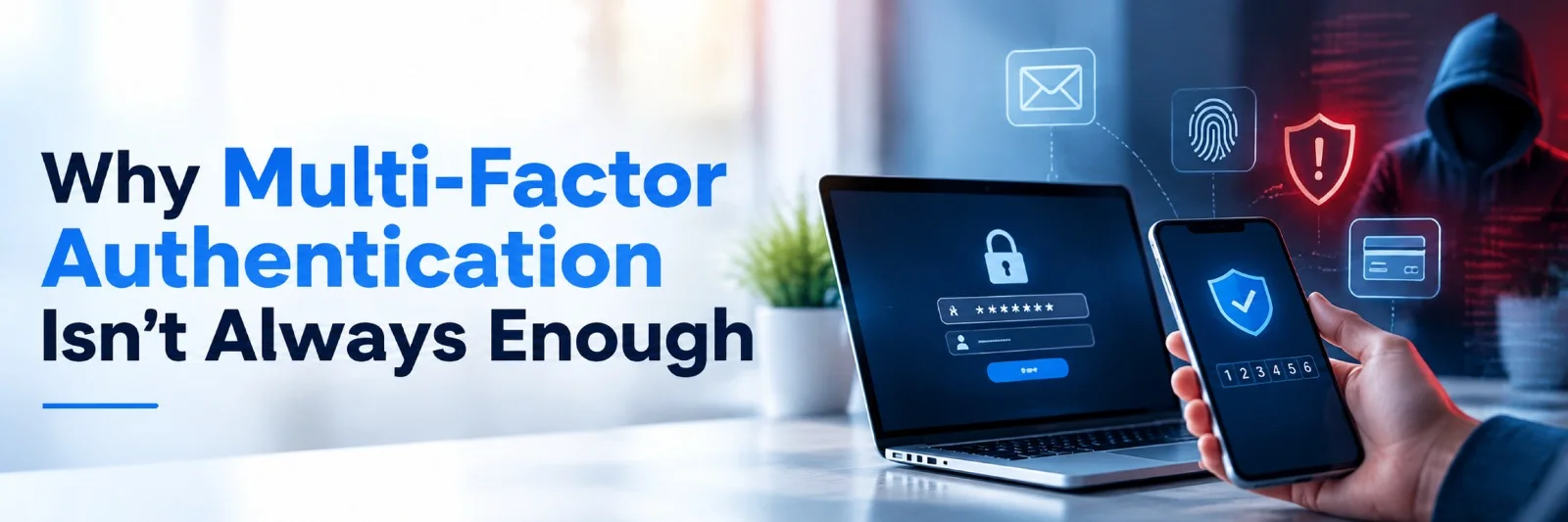
Multi-factor authentication (MFA) adds an extra layer of security to online accounts by requiring more than just a password, but it isn't foolproof. Even with additional verification methods, such as a code sent to your phone or a fingerprint, hackers can still intercept authentication codes, steal active sessions, or bypass certain MFA protections.
Understanding these limitations will help you choose better authentication methods and improve your account security.
How Multi-Factor Authentication Works
MFA verifies your identity using at least two different types of authentication factors. These generally fall into three categories: something you know, something you have, and something you are.
Passwords are things that you know. Authentication apps on phones are things that you have. Fingerprints and facial scans are things that you are. Using multiple factors makes it harder for people to log into accounts with stolen credentials. For instance, if someone learned your email password, they'd still need the second factor to log in.
Nevertheless, not all MFA methods provide the same level of security. Authentication codes can be delivered via text messages, authenticator apps, notifications, or security keys. Some verification methods can be more easily intercepted or tricked.
Why MFA Can't Stop Every Attack
Multi-factor authentication (MFA) is a crucial security measure, but it doesn't stop all cyberattacks. Phishing, session hijacking, stolen tokens, MFA fatigue, and compromised devices are all potential ways that hackers can evade authentication controls. Recognizing these constraints enables companies to fortify their cybersecurity plans by implementing adaptive authentication, employee training, continuous monitoring, and multi-layered security defenses to safeguard sensitive information, user accounts, and vital systems.
Phishing can steal more than your password
Phishing remains a common way criminals bypass account security measures. Cybercriminals create phishing emails, texts, or websites that look real. They may tell you that there's something wrong with your account or that they need you to confirm a transaction.
If you enter your credentials on a phishing website, cybercriminals can intercept your password and possibly your MFA code.
An authentication code helps verify your identity, but it doesn't guarantee that you're entering it on the right website. Cybercriminals may use the code before it expires.
Another vulnerability lies in push notifications. Someone receiving many sign-in requests may eventually approve one just to stop the notifications.
Authentication codes can be intercepted
Authentication codes sent via SMS can be exposed through SIM swapping, where criminals convince a mobile carrier to transfer a victim's phone number to a SIM card they control. In that case, they could receive text messages meant for the victim, including verification codes.
It's usually safer to use authentication apps since their codes aren't delivered via SMS and can't be intercepted in that way. But the codes themselves could still be entered into a fraudulent website during a phishing attack.
These weaknesses don't make MFA useless, but they demonstrate its limitations.
How Attackers Can Bypass MFA
There’s also a concerning technique known as an adversary-in-the-middle (AitM) phishing attack. In this type of attack, the hacker places their own website between you and the legitimate one you wish to access.
The attack may begin with an email that redirects you to a website that looks like your company's login portal. When you log in using your username and password, the fraudulent website passes the data and authentication steps to the legitimate website.
If the attack is successful, the attacker may then be able to use the authenticated session created when you logged in. This is how an AitM attack can undermine some forms of MFA.
Stolen session cookies create another risk
When you log in, most websites set a session cookie so they know you're logged in and don't have to ask you to sign in again when you visit other pages.
If an attacker gets hold of the authentication cookie, they may be able to use it to access your account without providing your password or requesting a new MFA code.
Session hijacking refers to this type of attack and can result from phishing, malware, or system security vulnerabilities.
Such an attack can be very dangerous and could let an attacker read your emails, view your business documents, modify your account settings, and more.
Some services offer shorter session times, device checks, and additional verification for sensitive operations, but MFA alone isn't enough to keep an active session secure.
Why Phishing-Resistant Authentication Matters
Passkeys and security keys that use the FIDO2/WebAuthn standards provide better phishing protection because they're tied to the genuine website. Passkeys can use fingerprints, facial recognition, or your device's screen lock to authenticate logins.
Unlike one-time codes, these methods don't require you to enter a code on a website. Stolen devices, compromised computers, and weaknesses in account recovery can still pose threats. But when available, passkeys and security keys provide stronger phishing protection than SMS codes.
Practical Ways to Strengthen Your Account Security
The first steps to securing your account with locks are simple, regular practices. Use robust and distinctive passwords and multi-factor authentication (MFA) as appropriate. Update applications, browsers, and devices to fix security problems. Do not click on links, open emails, or attachments sent by people you don't know. Check account activity frequently, set up alerts for logins, and delete access to unused applications. These are the steps that you can take to ensure that your personal information is protected, that you have restrictions on who can access your personal information, and that your online accounts are more secure.
Use unique passwords
Password managers allow you to generate and store strong passwords for all your accounts. This reduces the risk of a breach at one website compromising your other accounts, since each account has a different password.
In addition, some password managers won't automatically fill in your login credentials on websites whose domain names don't match the sites where you normally sign in. This can help you spot potential phishing attempts before sharing sensitive information. Nevertheless, double-check the URL before logging in.
Choose the strongest available MFA method
Check the security settings for your email, banking, social media, and work accounts. If they support passkeys or hardware security keys, consider using them instead of SMS codes, as they're more resistant to phishing attacks.
If those options aren't available, an authenticator app is generally preferable to text-message verification. Continue using unique passwords alongside MFA, rather than treating the second factor as a substitute for strong password security. This way, even if one of your passwords is compromised, attackers will face another barrier before accessing your account.
Protect your devices and sessions
Keep your operating system, browser, and security software updated. Updates often address vulnerabilities that criminals could otherwise exploit.
Be cautious about installing unfamiliar browser extensions or downloading files from untrusted sources. Malicious software can sometimes steal session information or monitor activity on a compromised device.
Sign out of accounts on shared computers, avoid saving passwords on devices others can access, and review active sessions when a service provides that option.
If you suspect an account has been compromised, use a trusted device to change your password, revoke active sessions, review recovery methods, and check for unfamiliar changes. Changing your password alone might not invalidate every stolen session, so look for an option to sign out of all devices.
Take unexpected authentication requests seriously
Never approve an MFA request you didn't initiate, and don't provide your code to someone who contacts you unexpectedly. Attackers may pretend to be technical support or representatives from your bank to convince you to share your authentication details.
If you receive repeated sign-in requests, don't approve one just to stop the notifications. Open the site using its official app or by entering its address manually, then check your account activity. If you notice unfamiliar logins, change your password and review your security settings.
Companies can also use device validation and monitor suspicious logins to detect attacks that bypass authentication.
MFA Is a Starting Point, Not a Complete Security Strategy
MFA is a great tool for protecting your accounts from password-based attacks; however, it cannot prevent all types of phishing attacks and session hijacking. To increase your level of security, use MFA together with strong passwords, phishing-resistant authentication, device updates, and account monitoring.
None of the above methods guarantees complete protection. However, understanding MFA's limits and using other ways to secure your accounts can help reduce the risk of compromise.
Final Thoughts
Multi-factor authentication is a vital security tool, but utterly incapable of stopping all cyber attacks on its own. Phishing, stolen session cookies, social engineering or compromised devices could still allow a hacker to get past the authentication process. MFA should be used in conjunction with using robust passwords, authentication methods that are not prone to phishing, regular security updates, ongoing monitoring and employee awareness training. The intent is to create several layers of protection instead of a single solution. A holistic approach to security helps organizations minimize risks, safeguard critical data, and boost their cybersecurity defenses.

 +91 774-202-1725
 +1 (945) 3387904
 business@coherentlab.com
 +49 15223341304
 UK
UK

