
Table of Contents
The Future of iOS Apps: When the App Interface Becomes Secondary
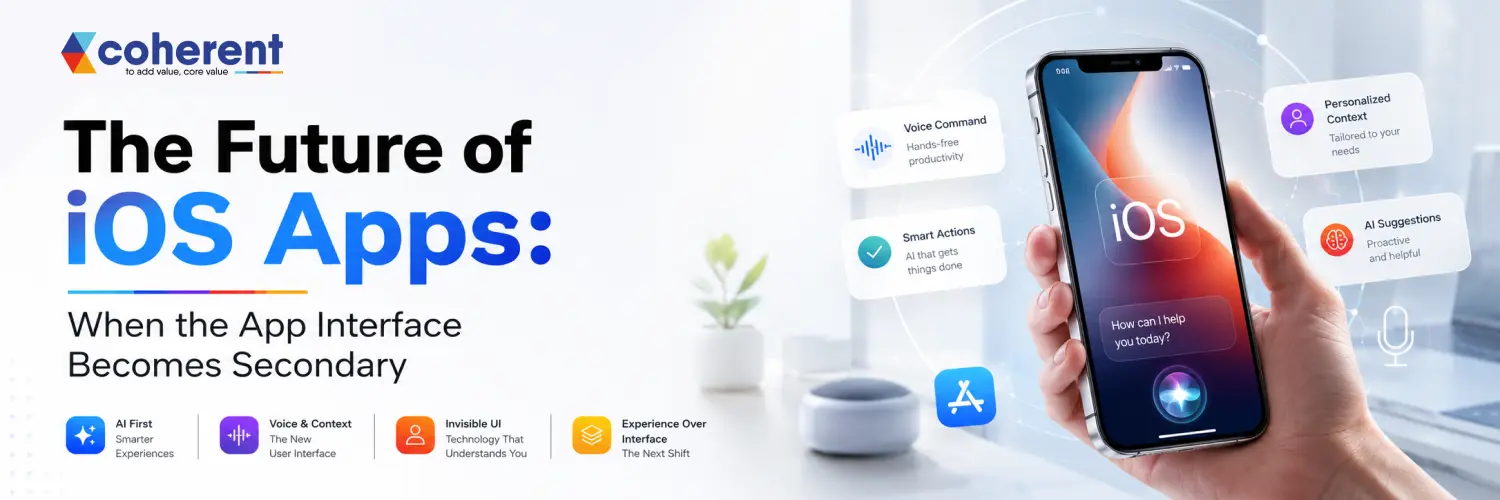
The future of iOS apps is not simply about creating better screens, smoother animations, or more attractive navigation. The next generation of mobile experiences is moving toward something more fundamental: the app interface itself may become secondary.The winning app may not always be the one with the most beautiful interface. It may be the one that delivers the right outcome with the least friction.
As artificial intelligence, voice assistants, widgets, App Intents, contextual automation, wearable devices, and conversational interfaces continue to evolve, users increasingly expect apps to understand what they need and help them complete tasks with minimal interaction.For businesses investing in iOS app development, this shift creates an important opportunity. The winning app may not always be the one with the most beautiful interface.
What Does It Mean When the App Interface Becomes Secondary?
When the app interface becomes secondary, users no longer need to open and navigate through the application for every task. AI, voice assistants, widgets, notifications, and contextual features can deliver functionality directly when users need it.The system could understand the request, confirm the important details, and initiate the order without requiring the customer to navigate through multiple screens.
- AI-driven interactions instead of traditional navigation
- Voice commands for completing tasks
- Widgets and notifications for quick actions
- Personalized experiences based on user context
Also Read :- Top Cross-Platform Mobile Application Development Frameworks in 2026
Why Traditional App Interfaces Are Changing
Traditional mobile app interfaces rely on menus, buttons, and fixed navigation, requiring users to manually find and interact with features. Modern iOS app development is moving toward intelligent, adaptive interfaces that understand user intent and provide relevant information proactively. AI, voice interaction, widgets, personalization, and contextual experiences allow apps to respond based on user behavior, preferences, location, and activity. Instead of navigating through multiple screens, users can increasingly ask questions, give voice commands, or receive useful information automatically. This shift creates faster, simpler, and more personalized digital experiences while helping businesses improve user engagement, accessibility, and customer satisfaction.
1. Artificial Intelligence
Artificial Intelligence makes mobile apps smarter by understanding user behavior, preferences, language, and context, enabling personalized experiences, predictive features, automation, and intelligent decision-making.
- AI assistants and chatbots
- Predictive recommendations
- Intelligent search and personalization
- Automated workflows and support
2. Voice Interaction
Voice interaction allows users to control mobile applications naturally without relying on traditional menus, buttons, or navigation, creating faster, more accessible, and convenient digital experiences.
- Voice commands
- Speech-to-text functionality
- Natural language processing
- Voice-based app navigation
3. Widgets and Live Activities
Widgets and Live Activities provide real-time information directly on the iPhone, allowing users to monitor important updates without repeatedly opening the complete mobile application.
- Delivery and ride tracking
- Flight and travel updates
- Sports scores
- Workout and event progress
4. Wearable and Connected Experiences
Modern mobile apps can extend beyond iPhones by connecting with Apple Watch, AirPods, CarPlay, and other devices, creating seamless experiences across the broader Apple ecosystem.
- Apple Watch integration
- AirPods interactions
- CarPlay experiences
- Cross-device synchronization
Also Read :- Cross-Platform App Development: The Complete Guide for 2026
The Role of AI in the Future of iOS Apps
AI is reshaping the future of iOS app development by making applications more intelligent, personalized, and context-aware. Instead of simply responding to user commands, AI-powered apps can understand behavior, predict needs, automate repetitive tasks, and provide proactive recommendations. With on-device AI, machine learning, generative AI, voice assistants, and personalized experiences, iOS applications can deliver faster responses while improving privacy and reducing dependency on cloud processing. Businesses can use AI to enhance customer support, automate workflows, analyze data, improve recommendations, and create smarter digital products. As Apple continues expanding intelligent capabilities across its ecosystem, integrating AI will become increasingly important for businesses building competitive, secure, and future-ready iOS app development solutions.
AI Can Turn Apps Into Intelligent Assistants
AI can transform traditional mobile applications into intelligent assistants that understand user needs, analyze information, and provide proactive recommendations instead of simply displaying data.
- AI-powered financial insights
- Personalized recommendations
- Predictive spending analysis
- Automated budget suggestions
AI-Powered Personalization
AI enables mobile apps to dynamically personalize the user experience by analyzing preferences, behavior, context, and usage patterns, making every interaction more relevant and engaging.
- User preference analysis
- Context-aware experiences
- Location and time-based personalization
- Adaptive content and recommendations
Voice and Conversational App Experiences
Voice and conversational experiences are changing how users interact with iOS apps. Instead of navigating through multiple screens, users can communicate naturally with an application using voice commands and conversational AI. This approach can make apps faster, more accessible, and personalized. Users can ask questions, search for information, complete actions, or receive recommendations without manually exploring menus. With AI-powered voice assistants, natural language processing, speech recognition, and contextual understanding, businesses can create intuitive mobile experiences that feel more like interacting with a personal digital assistant than using traditional software.
- Booking appointments
- Searching products
- Creating reminders
- Checking order status
Also Read :- The Top AI Agent Development Companies in the USA for 2026
How Businesses Can Prepare for Interface-Less iOS Apps
Businesses can prepare for interface-less iOS apps by focusing on user intent rather than traditional screens and navigation. Apps should combine AI, voice interactions, widgets, automation, and contextual personalization to deliver functionality at the right moment. Companies should also invest in secure APIs, on-device intelligence, privacy-focused architecture, and seamless integrations across Apple's ecosystem. Most importantly, businesses should identify repetitive user tasks that can be simplified through conversational or automated experiences. This approach helps create faster, smarter, and more personalized iOS applications while keeping the traditional interface available when users need deeper control or advanced .
Step 1: Identify User Intent
Start by understanding the actions users want to complete and prioritize them when designing an intelligent iOS app experience.
- Identify key user goals
- Map common actions and workflows
- Analyze customer behavior
- Prioritize high-value tasks
Step 2: Reduce Unnecessary Interaction
Review existing workflows and remove unnecessary taps, screens, and repetitive actions to create a faster and simpler user experience.
- Reduce navigation steps
- Add AI-powered assistance
- Use voice interactions
- Provide information through widgets
Step 3: Build Intelligent Capabilities
Integrate AI and automation technologies that allow the application to understand context, predict user needs, and complete repetitive tasks.
- AI assistants and NLP
- Recommendation engines
- Predictive analytics
- Context-aware automation
Step 4: Connect With the Apple Ecosystem
Extend the application beyond the main iPhone interface by creating connected experiences across Apple's ecosystem.
- Widgets and Live Activities
- App Intents and Siri experiences
- Apple Watch integration
- CarPlay and Shortcuts
Step 5: Keep the Interface for Complex Tasks
Traditional interfaces remain valuable when users need detailed information, visual controls, or advanced functionality.
- Detailed configuration
- Data analysis
- Content creation
- Account and advanced settings
Benefits of Moving Beyond Traditional App Interfaces
Moving beyond traditional app interfaces enables businesses to create smarter, faster, and more personalized iOS app experiences. AI, voice interaction, widgets, automation, and contextual features can reduce unnecessary navigation and help users complete everyday tasks with less effort. These technologies can improve accessibility, increase engagement, and deliver relevant information at the right moment. Cross-device capabilities also allow applications to extend beyond the iPhone through Apple Watch, CarPlay, and other ecosystem experiences. For businesses, this approach can improve productivity, customer satisfaction, retention, and competitive differentiation while creating a more convenient and intuitive digital experience.
| Benefit | How It Helps |
|---|---|
| Faster User Experience | Reduces unnecessary taps, screens, and navigation. |
| AI-Powered Personalization | Adapts content and recommendations to individual users. |
| Greater Accessibility | Voice and conversational interactions make apps easier to use. |
| Higher User Engagement | Proactive suggestions and relevant updates keep users connected. |
| Improved Productivity | Automation simplifies repetitive tasks and workflows. |
| Context-Aware Experiences | Delivers relevant actions based on time, location, and activity. |
| Cross-Device Integration | Extends experiences to Apple Watch, CarPlay, widgets, and other ecosystem features. |
| Better Customer Satisfaction | Creates convenient, intuitive, and user-focused digital experiences. |
Better User Experience
AI-powered and context-aware interfaces help users complete tasks faster by reducing unnecessary navigation and making interactions more intuitive.
- Simplify navigation
- Reduce user effort
- Enable faster task completion
- Deliver intuitive interactions
Higher Engagement
Proactive and personalized information can reach users at the right moment, encouraging more frequent and meaningful app interactions.
- Timely notifications
- Personalized recommendations
- Real-time updates
- Proactive suggestions
Greater Accessibility
Voice and conversational features can make mobile applications easier to navigate for users who may find traditional interfaces challenging.
- Voice commands
- Conversational AI
- Accessible navigation
- Hands-free interactions
Improved Personalization
AI can analyze user preferences, behavior, and context to deliver experiences that feel more relevant to each individual.
- Personalized content
- Behavioral insights
- Context-aware recommendations
- Adaptive interfaces
Stronger Competitive Advantage
Businesses that deliver low-friction, intelligent digital experiences can stand out in competitive markets and create stronger customer value.
- AI-driven innovation
- Faster experiences
- Unique app functionality
- Customer-focused design
Better Customer Retention
When an app consistently saves time and provides useful experiences, users are more likely to make it part of their everyday routines.
- Reduce repetitive tasks
- Improve convenience
- Build user trust
- Encourage long-term engagement
Challenges iOS Developers Need to Consider
Building intelligent and interface-light iOS apps comes with several technical and product challenges. Developers must balance AI capabilities, user privacy, performance, accessibility, and seamless interaction across Apple's ecosystem. Managing on-device intelligence, cloud services, voice processing, personalization, and real-time data can also increase development complexity. Developers need to ensure that intelligent features remain accurate, responsive, and secure while providing users with meaningful control. Careful testing is essential across different devices, OS versions, network conditions, and user scenarios. By following a security-first architecture, minimizing data collection, optimizing performance, and continuously monitoring AI-driven functionality, businesses can create reliable, scalable, and user-friendly next-generation iOS applications through professional mobile app development services.
Privacy
AI-powered iOS apps may process personal, behavioral, and contextual information, making privacy protection essential throughout development.
- Minimize data collection
- Obtain clear user consent
- Apply data encryption
- Follow privacy requirements
Security
Voice commands, AI automation, and connected features must include strong security controls to prevent unauthorized actions or data access.
- Strong authentication
- Server-side authorization
- Secure APIs
- Action validation
AI Reliability
AI-powered features should be carefully controlled, especially when they can influence financial, medical, or other sensitive decisions.
- Validate AI outputs
- Add human confirmation
- Create fallback mechanisms
- Monitor AI performance
User Control
Automation should make applications easier to use while ensuring users understand important actions and can control or reverse them.
- Provide confirmation options
- Explain important actions
- Allow manual control
- Support easy reversals
Development Complexity
Combining AI, voice, widgets, App Intents, wearables, and connected experiences can increase development, integration, and testing requirements.
- Plan scalable architecture
- Test across Apple devices
- Maintain system integrations
- Monitor performance continuously
What This Means for iOS App Developers
The future of iOS app development requires developers to think beyond traditional screens and navigation. Instead of building apps that simply respond to user actions, developers need to create intelligent experiences that understand intent, context, and user preferences. This means learning how to integrate AI, voice interfaces, App Intents, widgets, Live Activities, automation, and Apple ecosystem technologies while maintaining strong privacy and security. Developers should also focus on scalable architecture, reliable AI behavior, accessibility, and seamless user experiences. The most successful iOS developers will combine strong technical skills with product thinking to build apps that are proactive, personalized, secure, and genuinely useful in everyday situations with support from an experienced Coherent Lab LLP.
- Swift and SwiftUI
- AI and machine learning
- Natural language processing
- App Intents
- APIs and cloud services
- Secure authentication
Final Thoughts
The future of iOS apps is not about making interfaces disappear. It is about making interfaces less necessary for simple tasks.Users should not have to think about where a feature lives inside an application. They should be able to express what they want and receive the right experience at the right time.
AI, voice interaction, App Intents, widgets, Live Activities, automation, and connected devices are helping move mobile applications in this direction.For businesses planning their next iOS app development project, now is the time to think beyond the traditional app icon and screen-based experience.The most successful applications of the future may not be the ones users open the most.Talk to our experts today
Frequently Asked Questions
1. What is the future of iOS app development?
Ans. The future of iOS app development is moving toward intelligent, contextual, AI-powered, and multi-surface experiences. Apps will increasingly use AI assistants, voice, widgets, App Intents, Live Activities, and connected Apple devices to help users complete tasks faster with fewer interactions.
2. Will traditional iOS app interfaces disappear?
Ans. No. Traditional interfaces will remain essential for complex workflows, visual content, detailed configuration, and advanced interactions. However, simpler tasks will increasingly be handled through AI, voice commands, widgets, notifications, automation, and contextual system experiences.
3. How is AI changing iOS applications?
Ans. AI makes iOS applications smarter, more personalized, and proactive. Developers can use artificial intelligence for recommendations, intelligent search, natural-language interactions, automation, customer support, predictive analytics, and personalized experiences based on user behavior and context.
4. Why are App Intents important for future iOS apps?
Ans. App Intents allow developers to make specific app functionality available through system-level experiences. This enables users to access actions more directly through Siri, Shortcuts, widgets, and other supported experiences without navigating through multiple application screens.
5. What are interface-less apps?
Ans. Interface-less apps allow users to perform certain tasks without directly opening or navigating the traditional application interface. Voice commands, AI assistants, widgets, notifications, automation, and system-level actions can provide convenient alternative ways to access app functionality.
6. Should businesses invest in AI-powered iOS app development?
Ans. Businesses should invest in AI-powered iOS app development when it addresses genuine customer or operational needs. AI can improve personalization, automation, search, recommendations, support, and productivity. The technology should provide measurable value and improve user experience rather than being added simply because it is trending.
7. What technologies will shape future iOS apps?
Ans. Key technologies include artificial intelligence, machine learning, SwiftUI, App Intents, voice interfaces, widgets, Live Activities, cloud APIs, automation, Apple Watch integration, and connected-device experiences. Together, these technologies can create intelligent, contextual, personalized, and more accessible mobile applications.
8. How can an iOS app development company prepare for this future?
Ans. An iOS app development company should focus on intent-driven design, AI integration, privacy, secure automation, system-level capabilities, and cross-device experiences. Development teams should build flexible architectures where application functionality can work across screens, voice, widgets, notifications, and connected Apple devices.

 +91 774-202-1725
 +1 (945) 3387904
 business@coherentlab.com
 +49 15223341304
 UK
UK

