Table of Contents
Kiosk App Development in 2026: Key Features, Benefits, Costs, and Use Cases
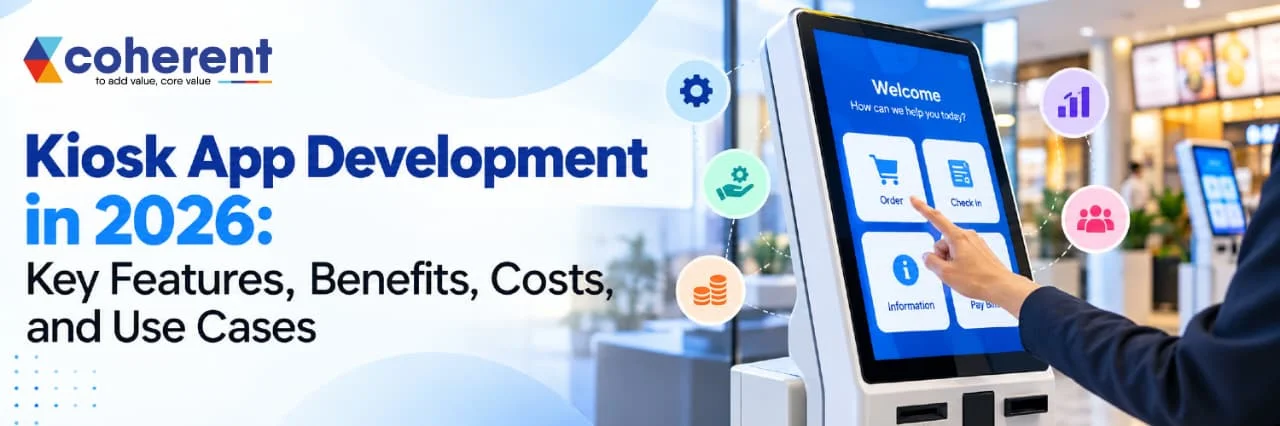
Businesses are increasingly adopting digital solutions to improve customer experiences, reduce manual work, and streamline daily operations. Kiosk app development is one such solution that enables customers to interact with self-service machines without depending on staff for every task. From restaurant ordering systems and hotel check-ins to hospital registrations and retail payments, kiosk applications are transforming how businesses serve customers.
A kiosk app is a software application designed to run on a dedicated touchscreen device or self-service terminal. It allows users to perform specific activities, such as placing orders, booking appointments, making payments, checking product information, and printing receipts.
Quick Answer
Kiosk app development is the process of creating software for self-service terminals that allow customers to complete tasks independently. These applications support activities such as ordering food, checking in at hotels, making payments, booking tickets, and registering at hospitals. Development involves UI design, hardware integration, payment security, testing, deployment, and maintenance. Coherent Lab helps businesses explore customized software development solutions designed to improve operational efficiency, streamline customer interactions, and support digital transformation through reliable technology.
Key Takeaways
- Kiosk app development creates self-service applications for touchscreen terminals and dedicated devices.
- Common applications include restaurant ordering, retail checkout, hotel check-in, healthcare registration, and ticket booking.
- Essential features include intuitive navigation, secure payments, real-time synchronization, accessibility, and remote device management.
- Kiosk applications can reduce repetitive staff tasks, improve service availability, and shorten customer waiting times.
- Development costs depend on application complexity, hardware requirements, integrations, security, and maintenance.
What Is Kiosk App Development?
Kiosk app development is the process of designing, developing, and deploying software applications for dedicated self-service machines. These applications typically run on touchscreen devices and allow customers to access services, complete transactions, and find information independently without requiring constant staff assistance. Similar to financial software development, kiosk applications can integrate secure payment systems, transaction processing, and automated workflows to improve efficiency and provide convenient digital services. Unlike traditional mobile or desktop applications, kiosk apps are usually designed for specific business purposes and operate in a restricted environment.
Key Characteristics of Kiosk App Development
- Touchscreen Interface: Provides an interactive, user-friendly interface that allows customers to navigate options and complete tasks easily.
- Self-Service Functionality: Enables users to perform activities independently, such as placing orders, booking appointments, checking in, and making payments.
- Secure Access Control: Restricts access to unauthorized applications, device settings, and sensitive information to maintain security.
- Business System Integration: Connects with POS systems, inventory databases, payment gateways, CRM platforms, and other business applications.
- Real-Time Information: Displays updated product availability, pricing, booking details, transaction status, and service information.
How Does Kiosk App Development Help Businesses?
Kiosk app development helps businesses automate routine operations, improve customer experiences, and manage services more efficiently. Similar to Restaurant App Development, kiosk solutions can simplify customer interactions through digital interfaces, automated ordering, and secure payment options. By implementing self-service kiosks, organizations can allow customers to complete everyday tasks independently without depending on employees for every interaction. These applications are useful for businesses that handle high customer volumes, repetitive transactions, and time-sensitive services.
Key ways kiosk app development helps businesses include:
- Automates Repetitive Tasks: Kiosk applications automate activities such as order placement, appointment scheduling, customer registration, ticket booking, and bill payments. This reduces the need for employees to perform routine tasks manually and allows them to focus on more complex customer requirements.
- Improves Customer Experience: User-friendly touchscreen interfaces enable customers to access information, explore available services, and complete transactions independently. Simple navigation, clear instructions, and multiple language options can make the overall experience more convenient.
- Reduces Waiting Time: Self-service kiosks can handle multiple customer transactions through separate terminals, helping businesses manage queues during peak hours. For example, restaurant customers can place orders through kiosks while employees focus on food preparation and customer support.
- Increases Operational Efficiency: Integration with point-of-sale (POS) systems, inventory management platforms, and business databases helps streamline daily workflows. Automated data transfer can reduce manual entry, improve coordination, and support faster transaction processing.
Key Features of Kiosk App Development
The key features of kiosk app development determine how effectively a self-service application meets customer expectations and business requirements. A well-designed kiosk application combines an intuitive touchscreen interface, secure payment processing, real-time data synchronization, and reliable hardware integration to deliver a smooth user experience. Similar to the security features highlighted in Best Crypto Wallet Apps, kiosk applications should prioritize data protection, secure transactions, and user privacy. Businesses can customize these features according to their industry, operational needs, and customer expectations.
|
|
|
|
|
|
|
|
|
|
|
|
|
|
|
|
|
|
|
|
|
|
|
|
1. User-Friendly Touchscreen Interface
A user-friendly touchscreen interface allows customers to interact with kiosk applications easily, even without technical knowledge. The interface should be simple, visually clear, and designed to help users complete tasks with minimal effort.
- Simple Navigation: Organizes menus, buttons, and options logically so customers can find the required services quickly.
- Responsive Touch Controls: Ensures buttons and interactive elements work smoothly on different touchscreen sizes.
- Clear Instructions: Provides step-by-step guidance to help users complete orders, payments, bookings, or registrations.
2. Secure Payment Gateway Integration
Payment integration allows customers to complete transactions directly through self-service terminals. Depending on the hardware and payment provider, kiosk apps can support cards, QR payments, and digital wallets.
- Multiple Payment Methods: Offers suitable payment options to improve customer convenience.
- Secure Transactions: Uses trusted payment providers and appropriate security controls to protect payment information.
- Instant Payment Confirmation: Displays transaction status and provides receipts or order confirmations.
3. Real-Time Data Synchronization
Real-time data synchronization keeps kiosk applications connected with business systems so customers receive updated information. This is especially useful for restaurants, retail stores, healthcare facilities, and ticketing services.
- Inventory Updates: Displays current product availability and helps prevent orders for unavailable items.
- Live Pricing: Synchronizes prices, offers, and applicable discounts with connected business systems.
- Order Management: Sends customer orders directly to restaurant kitchens or order-processing systems.
4. Kiosk Mode and Device Security
Kiosk mode restricts access to unauthorized applications, system settings, and other device functions. It helps ensure that the terminal remains focused on its intended business purpose.
- Restricted Device Access: Prevents customers from opening unrelated applications or changing system settings.
- Session Reset: Clears temporary session information and returns the application to its starting screen after use.
- Remote Device Monitoring: Allows administrators to monitor device status and identify technical issues.
5. Customization and Personalization
Customization enables businesses to create kiosk experiences that match their branding, services, and customer requirements. Personalization can also make interactions more relevant when implemented with appropriate privacy safeguards.
- Brand-Specific Interface: Uses company logos, colors, fonts, and visual elements consistently.
- Product Recommendations: Suggests relevant products or add-ons based on the current transaction or permitted preferences.
- Multilingual Support: Allows users to select their preferred language where required.
Benefits of Kiosk App Development for Businesses
Kiosk app development helps businesses automate routine tasks, improve customer satisfaction, and streamline daily operations. Self-service kiosks allow customers to complete transactions independently, reducing reliance on staff for repetitive activities. Similar to platforms featured in Best Apps Like Fiverr for Freelance services, kiosk solutions can help businesses connect with specialized service providers for design, development, and maintenance. With features such as digital payments, real-time data synchronization, and automated workflows, businesses can improve service efficiency and deliver a more convenient customer experience.
Key benefits of kiosk app development include:
- Improved Customer Experience: Provides convenient, easy-to-use self-service options.
- Reduced Waiting Time: Helps manage queues and speed up routine transactions.
- Lower Operational Costs: Reduces staff time spent on repetitive tasks.
- Increased Efficiency: Automates ordering, registration, bookings, and payments.
- Better Accuracy: Minimizes manual data-entry and transaction errors.
- 24/7 Service Availability: Supports selected services beyond regular business hours.
Kiosk App Development Cost in 2026
The cost of kiosk app development in 2026 depends on the application's complexity, required features, hardware specifications, third-party integrations, and security requirements. A basic information kiosk generally costs less to develop than an advanced self-service application with digital payments, real-time inventory updates, analytics, and centralized device management.
Businesses should also consider expenses beyond software development, including touchscreen hardware, installation, licensing, maintenance, and technical support. The final budget depends on the number of kiosks, the operating environment, and the level of customization required. Planning these expenses in advance helps businesses select the right features, control development costs, and build a reliable kiosk solution that can scale as their needs grow.
Key Factors Affecting Kiosk App Development Cost
- Features and Functionality: Advanced features increase development time and cost.
- UI/UX Design: Custom interfaces and accessibility requirements affect design expenses.
- Hardware Integration: Printers, scanners, and payment terminals may require additional work.
- Third-Party Integrations: Connecting POS, CRM, inventory, and payment systems adds complexity.
- Security Requirements: Authentication, data protection, and testing influence the budget.
Conclusion
Kiosk app development is helping businesses improve customer service, automate routine operations, and create faster, more convenient self-service experiences. From restaurants and retail stores to hospitals, hotels, airports, and banking institutions, kiosk applications enable customers to access information, place orders, complete payments, and manage services with minimal assistance. By integrating features such as touchscreen navigation, secure payment gateways, real-time data synchronization, analytics, and remote device management, businesses can streamline workflows and improve operational efficiency.
The cost of kiosk app development in 2026 depends on the application's complexity, hardware requirements, integrations, security features, and customization needs. Businesses should define their goals, identify essential features, select suitable hardware, and plan for ongoing maintenance before starting development. Connect with our experts
Frequently Asked Questions
Q1. What is kiosk app development?
Ans.Kiosk app development is the process of creating software for self-service devices that allow customers to perform specific tasks without requiring continuous assistance from staff. These applications usually operate on touchscreen kiosks installed in public places or business locations. Customers can use them to place food orders, make payments, check in for appointments, register for services, browse products, or access important information. Kiosk applications can also integrate with business systems such as point-of-sale (POS) software, inventory management platforms, customer relationship management (CRM) tools, and payment gateways. The exact functionality depends on the business's requirements. A well-developed kiosk application offers a simple interface, secure transactions, reliable performance, and convenient customer interactions.
Q2. How much does kiosk app development cost in 2026?
Ans.The cost of kiosk app development in 2026 depends on the application's features, complexity, hardware compatibility, security requirements, and third-party integrations. A basic information kiosk may cost approximately 5,000–15,000, while a standard self-service application may range from 15,000–35,000. Payment-enabled solutions can cost around 25,000–60,000, and advanced kiosk platforms with analytics, multiple integrations, and remote management may exceed $120,000. These figures are illustrative software development estimates, not verified market averages or vendor quotations. Hardware purchases, installation, payment processing fees, licensing, maintenance, and technical support may increase the total investment. Businesses should request detailed proposals based on their specific requirements before finalizing a budget.
Q3. What are the essential features of a kiosk application?
Ans.The essential features of a kiosk application depend on its purpose and the environment in which it operates. Most solutions benefit from a user-friendly touchscreen interface, clear navigation, secure payment integration, real-time data synchronization, and reliable error handling. Businesses may also require hardware integration for receipt printers, barcode scanners, card readers, or QR code scanners. Device security is important because kiosks are often placed in public locations, so restricted access, automatic session resets, and remote monitoring can help protect the system. Other useful features include multilingual support, accessibility options, analytics dashboards, and centralized content management. Selecting features according to customer needs helps businesses build an application that is useful, secure, and easy to maintain.
Q4. What are the main benefits of kiosk app development for businesses?
Ans.Kiosk app development offers several benefits, including shorter waiting times, improved customer convenience, more efficient operations, and reduced dependence on staff for repetitive tasks. For example, restaurant customers can place orders directly through a kiosk, while hospital visitors can use one to register for appointments or check in for consultations. Kiosks can also help reduce manual data-entry errors by collecting information through standardized digital forms. Integration with payment, inventory, and order management systems can improve transaction accuracy and provide more consistent business information. Additionally, analytics features can help organizations understand kiosk usage and identify areas for improvement. Although kiosks may reduce some routine workloads, businesses still need staff for customer assistance, maintenance, and more complex service requests.
Q5. How long does it take to develop a kiosk application?
Ans.The development timeline for a kiosk application depends on its complexity, design requirements, hardware compatibility, and the number of integrations involved. A basic information kiosk with limited functionality may take approximately four to eight weeks to develop. A standard self-service application may require eight to twelve weeks, while a payment-enabled or highly customized platform can take three to six months or longer. These are general planning estimates rather than guaranteed timelines. The process typically includes requirement analysis, UI/UX design, software development, hardware integration, testing, deployment, and staff training. Projects may take longer if they require specialized hardware, strict compliance checks, complex payment workflows, or integration with older business systems. Clear requirements and timely feedback can help reduce delays.
Q6. Which industries can benefit from kiosk app development?
Ans.Kiosk app development can benefit many industries that want to simplify customer interactions and automate routine services. Restaurants and quick-service food outlets use kiosks for self-ordering and payment processing. Retail businesses use them for product searches, price checks, and order placement. Hospitals and clinics can provide appointment check-ins, patient registration, and wayfinding services through kiosks. Hotels may use them for guest check-in and check-out, while airports can support passenger check-in and information access. Banks, educational institutions, cinemas, government offices, and transportation centers can also use kiosk applications to manage registrations, ticketing, payments, and information requests. The most effective implementation depends on the industry's workflows, customer expectations, accessibility needs, and operational environment.
Q7. Is kiosk app development suitable for small businesses?
Ans.Yes, kiosk app development can be suitable for small businesses when the solution addresses a clear operational need and fits the available budget. A small restaurant, retail shop, salon, or local service provider could use a kiosk to manage orders, collect customer information, handle appointment check-ins, or display service details. However, investing in a complex kiosk platform may not be necessary for every business. Small businesses should first evaluate customer demand, expected usage, hardware expenses, transaction fees, and ongoing maintenance costs. Starting with a minimum viable product (MVP) containing only essential features can help control the initial investment. Businesses can then add advanced functions after evaluating customer feedback, adoption rates, and measurable operational benefits.
Q8. How can businesses choose the right kiosk app development company?
Ans.Businesses should choose a kiosk app development company by evaluating its technical expertise, relevant project experience, hardware integration capabilities, security practices, and post-launch support services. Reviewing previous projects can help determine whether the company understands the requirements of public-facing devices and self-service applications. It is also important to discuss compatibility with existing POS, CRM, inventory, and payment systems, as well as support for the required operating system and kiosk hardware. Businesses should compare proposals based on project scope, development timeline, testing procedures, documentation, maintenance, and total cost rather than choosing solely on the lowest price. A reliable development partner should communicate clearly, explain technical decisions, and provide a realistic plan for deployment, updates, troubleshooting, and future scalability.

 +91 774-202-1725
 +1 (945) 3387904
 business@coherentlab.com
 +49 15223341304
 UK