Table of Contents
Why do fantasy sports app crash during big matches?
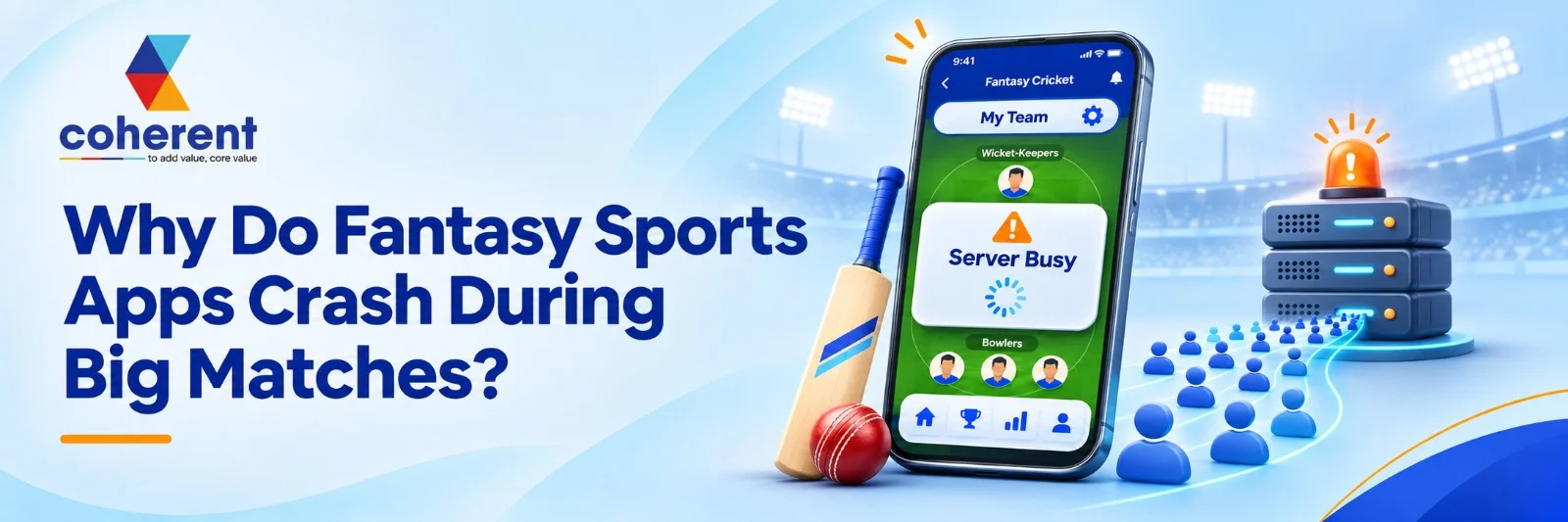
Fantasy sports apps experience their highest user activity during major sporting events, including cricket tournaments, football leagues, and international championships. Thousands or even millions of users may open the same application simultaneously to create teams, join contests, check live scores, and track player performances. This sudden increase in traffic puts significant pressure on application servers, databases, APIs, and other backend components. When the infrastructure cannot handle these requests efficiently, users may experience slow loading, failed transactions, login problems, or unexpected application crashes.
These technical problems can affect user engagement, revenue opportunities, and overall platform reliability. For fantasy sports businesses, maintaining application performance during peak match hours is therefore essential. Understanding why fantasy sports apps crash during big matches helps businesses identify infrastructure limitations and prevent performance failures. With the right architecture, load testing, database optimization, and monitoring practices, development teams can build reliable applications that support high traffic without compromising the user experience.
Quick Answer
Fantasy sports apps typically crash during big matches because of sudden traffic spikes, insufficient server capacity, database bottlenecks, poorly optimized APIs, and real-time data processing issues. When thousands of users perform actions simultaneously, infrastructure limitations can overwhelm the application. Scalable cloud architecture, caching, load balancing, and continuous performance testing help prevent these problems.
Key Takeaways
- Sudden increases in concurrent users can overwhelm application servers.
- Poor database optimization can slow down team creation and contest participation.
- Real-time score updates generate significant API traffic.
- Inadequate load testing makes applications vulnerable during major sporting events.
- Cloud auto-scaling and load balancing help distribute incoming requests.
- Continuous monitoring helps development teams identify performance issues early.
Also read:Fantasy Sports App MVP: What to Build First and What Can Wait
What Are the Main Reasons Fantasy Sports Apps Crash During Big Matches?
Fantasy sports apps often crash during big matches because thousands of users access the platform simultaneously to create teams, join contests, check live scores, and track leaderboards. These activities put heavy pressure on servers, databases, and APIs. Limited infrastructure, poor coding practices, and inefficient data processing can further affect performance. Choosing between a White Label or Custom Fantasy Sports App also plays an important role in determining scalability, flexibility, and performance. Understanding these technical issues helps businesses develop reliable applications that remain stable during high-traffic sporting events.
1. Sudden Traffic Spikes and User Overload
Sudden traffic spikes are one of the biggest reasons fantasy sports applications become slow or crash during major matches. When thousands of users log in simultaneously, servers receive more requests than they can handle, resulting in delayed responses, failed logins, and application downtime.
- Thousands of simultaneous user requests.
- Increased login and registration activity.
- Overloaded application servers.
- Slow page loading and unexpected downtime.
2. Insufficient Server Infrastructure
Server infrastructure plays an important role in maintaining fantasy sports app performance. If the hosting environment does not have sufficient processing power, memory, or bandwidth, it may struggle to manage high traffic.
- Limited server capacity.
- Insufficient CPU and RAM resources.
- Poor hosting configurations.
- Lack of automatic server scaling.
3. Database Overloading
Fantasy sports applications continuously process user profiles, contest entries, team selections, transactions, and leaderboard information. When multiple users perform these actions simultaneously, databases can become overloaded.
- Excessive database queries.
- Slow data retrieval.
- Poor database indexing.
- Delayed leaderboard updates.
4. Real-Time API and Score Update Failures
Fantasy sports apps depend on APIs to retrieve live scores, player statistics, match updates, and leaderboard information. During major sporting events, frequent API requests can increase system load.
- High API request volumes.
- Third-party API failures.
- Delayed live score updates.
- API rate-limit restrictions.
5. Poor App Architecture and Coding Issues
An inefficient application architecture can make it difficult to handle multiple simultaneous operations. Poorly optimized backend code, memory leaks, and improper request management can consume system resources.
- Inefficient backend code.
- Memory leaks and software bugs.
- Poor request management.
- Lack of scalable architecture.
Also read:How Live Scores and Leaderboards Work in Fantasy Sports Apps
How Do Live Match Events Increase the Load on Fantasy Sports Apps?
Live match events significantly increase the workload on fantasy sports applications because users continuously access the platform to check scores, monitor player performance, join contests, and track leaderboards. These activities generate thousands of simultaneous requests, putting pressure on servers, databases, and APIs. Effective fantasy sports app development focuses on handling frequent data updates, payment transactions, and push notifications without increasing system pressure. Without proper infrastructure and performance optimization, fantasy sports apps may experience slow loading, delayed updates, or unexpected crashes during major sporting events.
- Thousands of users access the app simultaneously during live matches.
- Increased login and registration requests create server pressure.
- Multiple users join contests and create teams at the same time.
- Frequent leaderboard updates increase database activity.
- Real-time score tracking generates continuous API requests.
- Payment deposits and wallet transactions increase processing demands.
- Push notifications and match alerts create additional server requests.
Also Read :- Build a Fantasy Sports App Like Dream11 in 2027
Step-by-Step Process to Prevent Fantasy Sports App Crashes
Preventing fantasy sports app crashes requires a structured approach that focuses on improving server performance, managing high user traffic, and optimizing backend operations. Coherent Lab helps businesses build scalable digital solutions by focusing on application performance, cloud infrastructure, load balancing, and backend optimization. Developers need to conduct load testing, optimize databases, improve API integrations, and implement real-time monitoring to reduce downtime, enhance application stability, and deliver a smooth user experience during major sporting events.
|
|
|
|
|
|
|
|
|
|
|
|
|
|
|
|
|
|
|
|
|
|
|
|
|
|
|
|
|
|
|
|
|
|
|
|
|
|
|
|
1. Analyze Existing App Performance
Start by evaluating the current performance of your fantasy sports application. Identify slow-loading pages, server response delays, database bottlenecks, and API failures. Performance analysis helps developers understand the reasons behind crashes and determine which areas need improvement before major sporting events.
- Identify performance bottlenecks.
- Analyze server response times.
- Check application error logs.
2. Conduct Load and Stress Testing
Load and stress testing help determine how well a fantasy sports app performs when thousands of users access it simultaneously. Developers simulate different traffic conditions to identify system limitations and ensure the application can handle sudden increases in user activity during major matches.
- Simulate peak user traffic.
- Test concurrent user requests.
- Identify system breaking points.
3. Upgrade Cloud Infrastructure
Upgrading cloud infrastructure helps fantasy sports applications manage increasing traffic and processing requirements. Cloud platforms provide flexible computing resources, storage, and bandwidth that can support high user activity. Scalable infrastructure also helps maintain application availability during important sporting events.
- Choose scalable cloud hosting.
- Increase server resources.
- Configure automatic scaling.
4. Implement Load Balancers and Auto-Scaling
Load balancing distributes incoming user requests across multiple servers instead of depending on a single server. Auto-scaling automatically increases or decreases computing resources based on traffic demand. Together, these technologies help prevent server overload and maintain consistent application performance.
- Distribute traffic across servers.
- Enable automatic resource scaling.
- Prevent individual server overload.
5. Optimize Database Queries and Caching
Database optimization improves how quickly fantasy sports applications retrieve and process information. Developers can use efficient queries, proper indexing, and caching technologies to reduce repeated database requests. This approach improves data retrieval speed and supports smooth application performance during live matches.
- Optimize database queries.
- Implement Redis caching.
- Improve database indexing.
6. Improve API Performance
APIs handle important operations such as live score updates, player statistics, contest information, and payment processing. Optimizing API response times and managing request volumes helps reduce unnecessary server workloads. Efficient API integration also ensures users receive accurate information without experiencing delays.
- Optimize API response times.
- Reduce unnecessary API requests.
- Implement rate limiting.
7. Monitor Application Performance in Real Time
Continuous performance monitoring helps developers identify technical issues before they affect users. Monitoring tools track server health, application errors, response times, and database activity. Real-time alerts allow technical teams to respond quickly and maintain application stability during high-traffic sporting events.
- Track server performance.
- Monitor application errors.
- Configure instant system alerts.
Also Read :- White Label Fantasy Sports Software: Complete Guide for Businesses
Conclusion
Fantasy sports apps can experience crashes during big matches when their infrastructure cannot manage sudden traffic increases, continuous data updates, database operations, and concurrent user requests. These problems can be reduced through scalable cloud infrastructure, effective caching, database optimization, load balancing, and comprehensive performance testing. Businesses should also monitor third-party integrations and mobile application performance to maintain platform reliability. With the right development strategy and technical architecture, fantasy sports platforms can deliver smoother experiences during high-demand sporting events. Partner with Coherent Lab to explore scalable software development solutions and build a reliable fantasy sports application designed for growing business requirements.Connect with our experts
Frequently Asked Questions
Q1. Why do fantasy sports apps crash during live matches?
Ans.Fantasy sports apps can crash during live matches because of sudden increases in concurrent users, insufficient server capacity, database bottlenecks, and excessive API requests. Live matches also generate continuous data updates, which increase the workload on backend services. If an application is not designed to manage these operations efficiently, users may experience slow loading, frozen screens, failed requests, or temporary downtime. Businesses can reduce these problems through scalable infrastructure, optimized databases, efficient APIs, and regular performance testing.
Q2. How can fantasy sports apps handle millions of concurrent users?
Ans.Fantasy sports apps can support large numbers of concurrent users through horizontally scalable infrastructure, effective load balancing, database optimization, caching, and asynchronous processing. Instead of depending on a single server, businesses can distribute application workloads across multiple instances. Technologies such as Redis can reduce repeated database requests, while cloud auto-scaling can provide additional resources when traffic increases. However, the complete architecture must be tested under realistic workloads because adding more servers alone does not eliminate database, API, or application-level bottlenecks.
Q3. What is the role of cloud computing in fantasy sports app development?
Ans.Cloud computing provides the infrastructure required to deploy, operate, and scale fantasy sports applications. It allows businesses to use computing resources, databases, storage, and networking services according to their application requirements. Cloud platforms also support automated scaling, monitoring, backups, and distributed infrastructure configurations. These capabilities are particularly useful during major sporting events when user traffic can increase unexpectedly. Businesses should still configure cloud resources carefully, monitor infrastructure costs, and test scaling behavior to ensure reliable application performance.
Q4. How does database optimization prevent fantasy sports app crashes?
Ans.Database optimization improves the speed and efficiency of operations such as user authentication, team creation, contest participation, payment records, and leaderboard retrieval. Proper indexing, efficient queries, connection pooling, and caching help reduce unnecessary database workload. For example, frequently requested player information can be cached instead of being retrieved from the database repeatedly. Database optimization also helps development teams identify slow queries and connection limitations before they affect users. It is an important part of maintaining application performance during high-traffic sporting events.
Q5. Which technologies are useful for improving fantasy sports app performance?
Ans.Several technologies can help improve fantasy sports application performance, depending on the platform's architecture and requirements. AWS and Google Cloud provide scalable infrastructure, Redis supports in-memory caching, PostgreSQL manages structured information, and Apache Kafka supports event streaming. WebSockets can deliver real-time updates, while Kubernetes helps manage containerized application workloads. Monitoring solutions such as Prometheus can provide infrastructure performance insights. Businesses should not select technologies simply because they are popular; the right combination depends on application complexity, expected traffic, budget, and technical expertise.
Q6. Why is load testing important before a major fantasy sports tournament?
Ans.Load testing helps development teams understand how an application behaves when many users access it simultaneously. Before a major tournament, a fantasy sports platform should be tested for activities such as logging in, creating teams, joining contests, making payments, and viewing live leaderboards. These tests can reveal server limitations, slow database queries, API bottlenecks, and other performance issues. Identifying problems before an event gives businesses time to optimize their infrastructure and improve application stability instead of dealing with unexpected downtime during important matches.
Q7. Can poor mobile app development cause fantasy sports applications to crash?
Ans.Yes, poor mobile application development can contribute to crashes, slow loading, and unexpected application behavior. Memory leaks, inefficient background processes, excessive network requests, and poorly optimized images can affect application performance. Compatibility problems across different devices and operating system versions may also create stability issues. Development teams should perform device testing, optimize memory usage, reduce unnecessary background operations, and monitor application crash reports. A well-optimized mobile application should work efficiently across supported devices, even when users are accessing resource-intensive features during live matches.
Q8. How much does it cost to improve the performance of a fantasy sports app?
Ans.The cost of improving a fantasy sports application depends on its existing architecture, infrastructure limitations, user base, and required technical changes. A project involving API optimization or database indexing may require less development effort than rebuilding backend services or migrating to a scalable cloud architecture. Other factors include cloud hosting expenses, load testing, monitoring tools, third-party integrations, and ongoing maintenance. Businesses should begin with a technical performance audit to identify the main bottlenecks. This helps development teams prioritize improvements and prepare a realistic budget instead of investing in unnecessary infrastructure upgrades.

 +91 774-202-1725
 +1 (945) 3387904
 business@coherentlab.com
 +49 15223341304
 UK